
Your best move is to audit your online presence before someone else does it for you. Search your name, clean up weak results, publish stronger ones, and set alerts so surprises do not sit online for months. Personal online reputation management is not just for executives or public figures. It affects job offers, client trust, dating, school admissions, and even local community credibility.
TLDR: Check the first two pages of Google for your name, then fix anything outdated, inaccurate, or embarrassing. A strong profile, fresh content, and better privacy settings can push low-quality results down over time. For example, a freelance designer who updates LinkedIn, adds a portfolio page, and posts two helpful articles per month may see positive results take over 70% of page one within 90 days. Set monthly reminders, because reputation work is boring until it becomes urgent.
What Personal Online Reputation Really Means
Your digital presence is the sum of what people find when they search for you. That includes social profiles, old comments, news mentions, public records, reviews, forum posts, directory listings, photos, and videos. Some of it you control. Some of it sits on websites you forgot existed.
The goal is not to look fake or flawless. That can feel strange and robotic. The goal is to make sure the best available version of you is easy to find. If someone searches your name before a meeting, interview, or date, they should see proof that you are credible, active, and human.

Step One: Search Like a Stranger
Start with a simple search. Use your full name in quotation marks. Then try common variations, nicknames, your city, your job title, and your company or school. Search in Google, Bing, and social platforms. Use private browsing mode so your own history does not skew results.
Check at least the first two pages. Most people stop at page one, but problem content often hides just out of sight until it gets shared or indexed again. Take screenshots and save links. You want a clear record of what appears now, not a vague memory of what you think you saw.
- Search your full name: “First Last”
- Add context: “First Last” plus city, role, employer, school, or industry
- Check images: Old photos can rank higher than you expect
- Review videos: Podcasts, webinars, and event clips may appear
- Scan social platforms: Search inside LinkedIn, Facebook, Instagram, TikTok, Reddit, and X
Honestly, it feels like search engines remember every awkward thing except the work you are proud of. That is why you need a written audit, not a quick glance.
Set Up Monitoring So You Stop Guessing
Reputation monitoring does not need to be expensive. Start with free tools. Set up Google Alerts for your name, common misspellings, business name, personal website, and key projects. If your name is common, add your city or profession to reduce noise.
Also check the privacy and notification settings on platforms where people can tag you. Tags are a common source of unwanted exposure. They can place your name beside photos, comments, and events you never approved.
- Google Alerts: Good for web mentions and articles
- Social notifications: Useful for tags, comments, and mentions
- Search Console: Helpful if you own a personal website
- Review alerts: Useful for consultants, doctors, agents, coaches, and freelancers
- Calendar reminders: Run a manual search every 30 days
The annoying part is that alerts miss things. Expect to waste time checking platforms by hand, especially social apps that keep their own content away from search engines.
Clean Up What You Control First
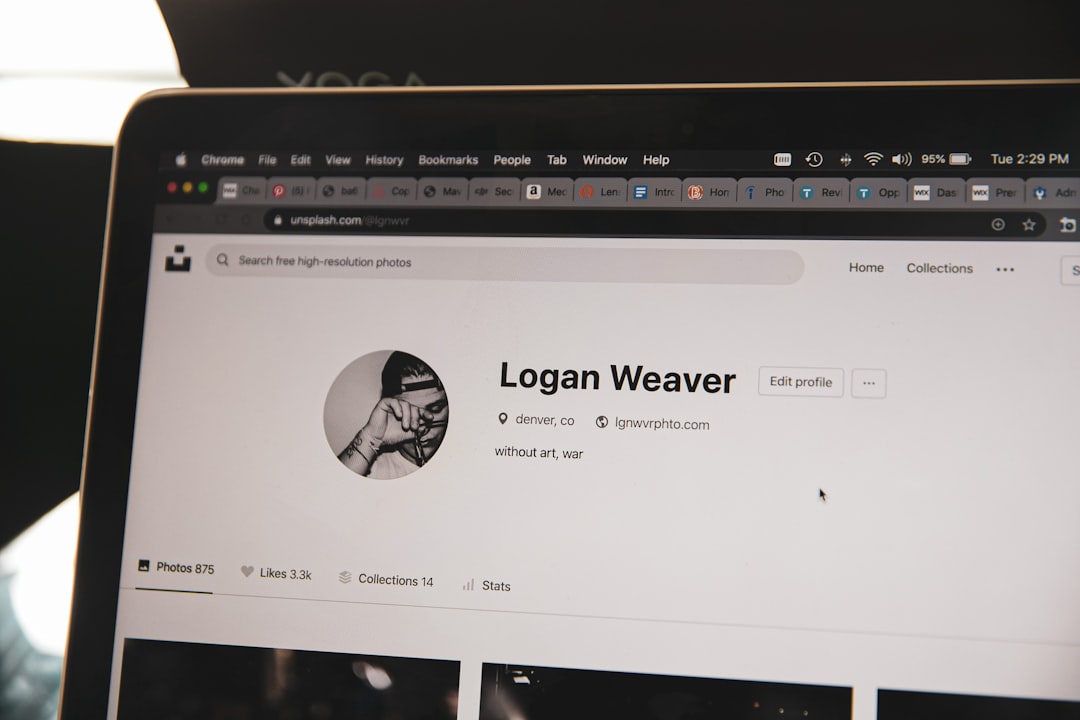
Do not start by arguing with a website owner unless you have to. First, fix the assets you control. Update your LinkedIn headline, profile photo, bio, website, portfolio, and public social profiles. Remove broken links. Delete outdated bios. Make contact details consistent.
A weak profile can hurt almost as much as a bad result. If three versions of your job title appear online, people may question your experience. If your profile photo is ten years old, people may wonder what else is stale.
Focus on these quick wins:
- Use one clear professional photo across major profiles.
- Write a short bio that explains who you help and what you do.
- Update work history with dates, roles, and measurable results.
- Remove public posts that are rude, reckless, or wildly off-brand.
- Change privacy settings on personal accounts you do not want indexed.
Build Positive Search Results
If page one is thin, fill it with better material. Search engines reward clear, useful, well-structured pages from trusted sources. You do not need to publish daily. You do need consistency.
Create or improve a personal website with your name in the page title. Add a short bio, contact method, portfolio samples, press mentions, talks, certifications, and links to active profiles. If you write, speak, teach, volunteer, or build things, show it. Evidence beats vague claims.
Strong assets include:
- A personal website using your real name
- A complete LinkedIn profile with recommendations
- Guest articles on trusted industry sites
- Podcast appearances with proper name spelling
- Professional directories linked to your current work
- Public projects such as GitHub, Behance, research pages, or case studies
Quality matters more than mass posting. Ten empty profiles look spammy. Three strong profiles can rank well and feel real.
Handle Negative Content Without Making It Worse
Bad content falls into different categories. Some content is true but unflattering. Some is outdated. Some is false. Some is illegal, private, or abusive. Each needs a different response.
If the content is on a site you control, remove or edit it. If it is on another site, read the removal policy before contacting anyone. Send a calm, specific request. Include the URL, explain the issue, and state what you want changed. Do not threaten legal action unless a lawyer tells you to. Angry messages often get ignored, shared, or screenshotted.
If content violates platform rules, report it through official channels. This applies to impersonation, doxxing, harassment, stolen images, and private personal data. If the content is defamatory or dangerous, speak with a qualified attorney. For sensitive personal information, some search engines offer removal forms.
Respond to Reviews and Public Criticism Carefully
For professionals and business owners, reviews are part of personal reputation. A harsh review can sting. Replying badly can do more damage than the review itself.
Keep replies short. Thank the person. Address the issue without exposing private details. Offer a way to continue the conversation offline. Never insult the reviewer. Never post client records, medical details, private messages, or personal data to “prove” your side.
A useful reply might say: “Thank you for sharing this. I’m sorry the experience did not meet expectations. Please contact me directly at this email so I can review what happened and try to make it right.”
That sounds simple. It works because it shows maturity to future readers, not just the person who complained.
Strengthen Privacy Before Problems Start
Reputation management is not only about search results. It is also about reducing easy access to personal information. Remove your phone number, home address, birthday, and family details where possible. Data broker sites often collect and display this information. Many allow opt-outs, though the process can be painfully slow.
Use separate email addresses for public work, shopping, and private life. Turn on two-factor authentication. Review old accounts once or twice a year. Delete the ones you no longer use. Dormant accounts are easy targets because nobody checks them.
Measure Progress Monthly
Track your results like a simple scorecard. List the top 20 search results for your name. Mark each as positive, neutral, or negative. Note which profiles gained or lost rank. Check whether your preferred website, LinkedIn page, and best work appear near the top.
A practical target is to make at least eight of the first ten results positive or neutral. If you are job hunting, consulting, or seeking press, aim higher. Page one should answer three questions fast: who you are, what you do, and why someone should trust you.
Personal online reputation management is a habit, not a one-time cleanup. Search your name, fix weak spots, publish useful proof, and protect your privacy. What people find online may not tell your whole story, but it often decides whether they want to hear the rest.