
Figma is still the safer home for serious interface design, but AI design agents are changing the first half of the workflow. Teams no longer start every screen from a blank frame. Figma has added AI features for generated layouts, content, and search, which shows how quickly the old canvas-first process is shifting [source: Figma].
TLDR: Figma remains the place where product teams refine, review, and ship interface work. AI design agents are better at creating early options, user flows, copy, and rough layouts. For example, a designer working on a 10-screen signup flow might ask an agent for three variants and get 30 rough screens in under 20 minutes, then spend the next two hours cleaning the best version in Figma. That can cut early exploration time by 30% to 50%, but only if the team already has clear rules and a strong design system.
Why Figma Still Matters
Figma became popular because it solved a painful problem. Designers, product managers, and developers could work in one shared file. Comments, components, prototypes, and handoff all lived in the same place.
That still matters. A polished interface needs spacing rules. It needs states. It needs accessibility checks. It needs someone to ask, “Will this actually work for users?”
AI agents can create screens fast. They can suggest patterns. They can write button labels. But they often miss small product details. Honestly, it feels like they can design a nice-looking settings page while forgetting the one setting that matters most.
Figma is also where teams keep their design memory. Components, tokens, variants, and approved patterns sit there. Without that structure, AI output can become a pile of pretty but useless screens.
What AI Design Agents Do Better
AI design agents are strong at the messy start of a project. They can turn a prompt into wireframes. They can make user journeys. They can build several landing page directions. Some can even create React-style code or connect screens into a rough prototype.
This changes the role of the designer. The work moves from drawing every first idea to judging and shaping many ideas. That sounds small, but it is a big shift.
- Faster blank-page start: agents can produce rough flows in minutes.
- More variations: teams can compare five directions instead of two.
- Quick content drafts: microcopy, empty states, and error messages appear sooner.
- Early code hints: some tools create front-end structure for developers to inspect.
The catch is that speed creates more cleanup. A designer may save 40 minutes on layout creation, then lose 25 minutes fixing odd spacing, weak hierarchy, or fake product logic. That trade is still useful, but it is not magic.
How Workflows Are Changing
The old workflow was fairly linear. Research came first. Then wireframes. Then UI design. Then prototype. Then handoff. Reality was never that neat, but the model was easy to understand.
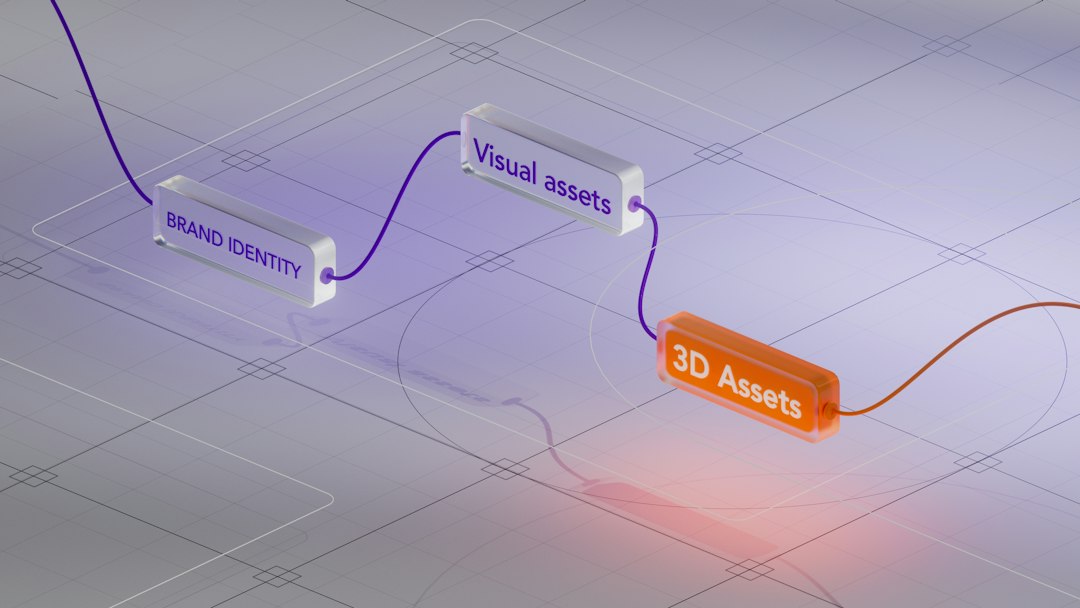
The new workflow is more circular. A team may ask an AI agent to draft a checkout flow before the full UX plan is done. A designer may pull the best parts into Figma. A product manager may test copy earlier. A developer may check if the layout can be built without a fight.
That means feedback arrives sooner. It also means poor prompts can send the whole team sideways. If the brief is vague, the agent will fill gaps with guesses. Those guesses can look confident. It drives some teams mad when an agent invents features that were never discussed.
A better workflow often looks like this:
- Define the problem: the team writes the user goal, business goal, and key limits.
- Ask for rough options: the AI agent creates flows, layouts, and copy ideas.
- Select the best direction: the designer removes weak screens and keeps useful patterns.
- Refine in Figma: components, tokens, accessibility, and responsive behavior get fixed.
- Review with humans: product, engineering, and users test the idea.
Figma vs AI Agents: The Real Difference
Figma is a workspace. AI agents are accelerators. That difference matters.
Figma helps teams maintain quality over time. It keeps the source of truth. It supports design systems. It makes review easier. AI agents help teams move faster at the start, when there are still many unknowns.
For interface design, the strongest setup is not Figma or AI. It is Figma with AI. Agents create the rough material. Figma turns that material into a real product experience.
A small startup may use an agent to create a pricing page, onboarding flow, and dashboard concept in one afternoon. A senior designer then rebuilds the best parts in Figma using the company’s components. The final result is faster than starting from scratch, but it still has human judgment behind it.
Risks Teams Should Watch
AI design agents can make weak design look finished. That is risky. A clean card layout does not mean the user journey is clear. A nice color palette does not mean the interface is accessible.
Teams should watch for these problems:
- Generic layouts: many outputs look like the same SaaS dashboard.
- Missing edge cases: empty states, errors, permissions, and loading states are often skipped.
- Brand drift: agent-made screens may ignore existing tone and visual rules.
- False confidence: polished mockups can hide weak product thinking.
The best designers will not be replaced by agents. Their work will change. They will spend less time pushing pixels from zero and more time setting direction, editing outputs, and protecting quality.
FAQ
Is Figma being replaced by AI design agents?
No. Figma is still the main space for refined interface design, team review, and design systems. AI agents mainly speed up early drafts and idea generation.
Can AI agents create production-ready UI?
Sometimes they can get close, but most outputs still need human review. Spacing, accessibility, edge cases, and product logic often need cleanup.
Should designers learn AI tools?
Yes. Designers who understand prompts, critique, and design systems will get more value from AI tools. The skill is not just generating screens. It is knowing what to keep.
What is the best workflow?
The strongest workflow uses AI agents for rough concepts and Figma for refinement. This keeps speed high without giving up quality.