
Best practical stack: use Google Analytics 4 for site and conversion tracking, Looker Studio for dashboards, Supermetrics or Funnel for data connectors, and a CRM-based platform such as HubSpot when you need revenue reporting. Google stopped processing standard Universal Analytics data on July 1, 2023, which made GA4 a baseline tool rather than an optional upgrade [source: Google]. The smartest choice depends on ad spend, sales cycle length, team size, and how often leadership asks, “What did this campaign actually return?”
TLDR: Most teams should start with GA4, Looker Studio, and a connector such as Supermetrics before buying a larger analytics suite. For example, a B2B team spending $50,000 per month across Google Ads, LinkedIn, and email can often reduce weekly reporting from 5 hours to under 1 hour with automated dashboards. If the same team needs to prove that 420 leads produced 38 opportunities and $310,000 in pipeline, HubSpot or Salesforce reporting becomes more useful. Pick the tool that answers commercial questions, not the one with the prettiest chart library.
What makes a strong marketing analytics tool?
A serious marketing analytics platform should do four things well. It should collect clean data, connect to key channels, explain campaign performance, and produce reports that people can trust. That sounds simple. It rarely is.
Honestly, it feels like many tools still make teams fight with naming rules, broken UTMs, and dashboards that load 10 seconds too slowly during meetings. A good SaaS tool reduces that friction. It should help answer questions such as:
- Which campaigns create qualified leads?
- Which channels waste budget?
- What is the cost per acquisition by audience, region, or product?
- How does marketing activity affect pipeline and revenue?
- What should be cut, scaled, or tested next?

1. Google Analytics 4: best for web and conversion behavior
Google Analytics 4 is the default starting point for website analytics. It tracks events, conversions, acquisition sources, landing pages, audiences, and user journeys. It is not perfect, but it is widely supported and free for most businesses.
GA4 is strongest when teams need to understand where visitors come from and what they do on the site. It works well for ecommerce tracking, content performance, funnel analysis, and paid search checks. Its Explorations area can answer deeper questions, such as how users behave after viewing a pricing page.
Best for: small to mid-size teams, ecommerce brands, content teams, and paid media managers.
Weak point: the interface can feel awkward. Some reports that were simple in Universal Analytics now take extra setup. Expect some training time.
2. Looker Studio: best free reporting layer
Looker Studio is useful because it turns data into shareable dashboards. It connects well with GA4, Google Ads, Google Sheets, BigQuery, and many third-party sources through partner connectors.
For campaign reporting, it is ideal for weekly and monthly dashboards. You can build pages for paid media, SEO, email, social, landing pages, and executive summaries. A good dashboard should show trends, not just totals. Add comparisons against the previous period and targets.
Best for: teams that need clean recurring reports without paying for enterprise BI software.
Weak point: dashboards can slow down when too many charts or blended data sources are added. Keep reports focused.
3. Supermetrics: best for pulling channel data into reports
Supermetrics is one of the most common connector tools for marketers. It pulls data from Google Ads, Meta, LinkedIn, TikTok, Mailchimp, Shopify, and many other platforms into Looker Studio, Google Sheets, Excel, BigQuery, or data warehouses.
This is valuable because native ad platforms often tell only their side of the story. Google Ads may claim one result. Meta may claim another. Your CRM may show something else. Supermetrics helps centralize the numbers so teams can compare spend, clicks, conversions, revenue, and cost per result in one place.
Best for: agencies, paid media teams, and companies reporting on several channels.
Weak point: pricing can rise as you add data sources and destinations. Audit what you really need before buying.
4. Funnel: best for governed marketing data pipelines
Funnel is built for teams that need structured marketing data at scale. It collects data from many ad, analytics, ecommerce, and CRM systems. Then it standardizes the data before sending it to dashboards, spreadsheets, or data warehouses.
Funnel is especially useful when campaign naming is messy. It can group sources, clean dimensions, and create rules that make reporting less chaotic. This matters when a team runs campaigns across countries, brands, products, or agencies.
Best for: larger marketing teams, multi-market companies, and organizations with strict reporting standards.
Weak point: setup requires planning. If your tracking structure is poor, the tool will expose that problem quickly.
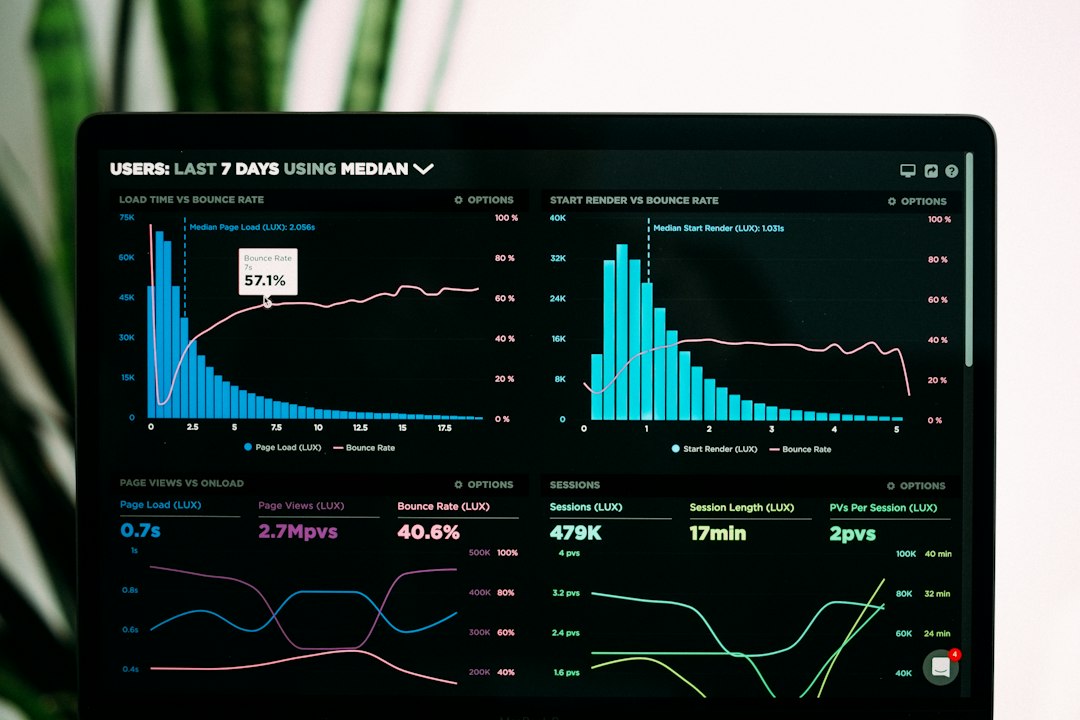
5. HubSpot Marketing Hub: best for lead-to-revenue reporting
HubSpot Marketing Hub is strong when analytics must connect marketing actions to contacts, deals, and revenue. It can report on email campaigns, forms, landing pages, ads, workflows, lead sources, and lifecycle stages.
For B2B teams, this is often more useful than traffic reporting alone. A campaign with 3,000 visits may look successful until HubSpot shows that it produced only four sales-qualified leads. A smaller webinar campaign may bring 180 registrations and create $90,000 in pipeline. That is the kind of detail leadership needs.
Best for: B2B companies, SaaS firms, and teams using inbound marketing and sales pipelines.
Weak point: the best reporting features are tied to higher tiers. Costs can grow as your database grows.
6. Semrush: best for SEO and competitive campaign insight
Semrush is not a full campaign reporting platform, but it is excellent for SEO, content, PPC research, and competitor insight. It helps track keyword rankings, backlinks, site health, search visibility, and content gaps.
For campaign reporting, Semrush works well beside GA4 and Looker Studio. Use it to explain organic growth, lost rankings, technical issues, and competitor movement. It is also helpful before paid search campaigns because it shows keyword costs, intent, and rival ads.
Best for: SEO teams, content marketers, and agencies.
Weak point: it does not replace CRM or revenue reporting. Treat it as a search intelligence tool.
7. Tableau and Power BI: best for executive reporting
Tableau and Microsoft Power BI are serious business intelligence tools. They are best when marketing data must sit beside finance, sales, product, and customer success data.
These platforms are not always the first choice for small teams. They require cleaner data models and more technical skill. But they can create trusted board-level reporting when the organization needs one version of the truth.
Best for: enterprise teams, data teams, and companies with complex reporting needs.
Weak point: marketers may depend on analysts for changes. Simple dashboard edits can take longer than expected.
8. AgencyAnalytics: best for client-facing reports
AgencyAnalytics is built for agencies that need polished client reports across SEO, PPC, social, email, and call tracking. It offers templates, white-label options, rank tracking, and scheduled reports.
This is useful when clients want regular updates but do not need access to a complex BI system. It saves time and keeps reporting consistent across accounts.
Best for: digital agencies, consultants, and local marketing providers.
Weak point: it is less suitable for deep internal revenue analytics.

How to choose the right tool
Do not buy based on feature lists alone. Start with the reporting questions that matter most. Then match tools to those questions.
- If you need website behavior: choose GA4.
- If you need dashboards: choose Looker Studio, Tableau, or Power BI.
- If you need channel data: choose Supermetrics or Funnel.
- If you need sales impact: choose HubSpot or a CRM-connected setup.
- If you need SEO insight: choose Semrush.
- If you report to clients: choose AgencyAnalytics.
Recommended stacks by team size
Small business: GA4, Looker Studio, Google Search Console, and native ad platform reports. This keeps cost low and gives enough visibility for basic decisions.
Growing SaaS company: GA4, HubSpot, Supermetrics, Looker Studio, and Semrush. This stack connects traffic, leads, campaigns, and pipeline without becoming too heavy.
Agency: AgencyAnalytics, Supermetrics, GA4, Search Console, and Looker Studio. Add Semrush for SEO retainers.
Enterprise: Funnel or Supermetrics, BigQuery, Tableau or Power BI, CRM data, and strict tracking governance. This setup supports deeper analysis and better audit control.
Final recommendation
The best SaaS tool for marketing analytics is not one product. It is usually a small, well-managed stack. For most teams, GA4 plus Looker Studio plus Supermetrics is the strongest starting point. Add HubSpot when revenue attribution matters. Add Semrush when organic search is a major growth channel.
Keep the stack boring if it works. Clean tracking, clear campaign names, and reliable dashboards beat flashy software every time.