
Build scrapers as controlled data pipelines, not as quick scripts that hammer websites. Start with a narrow question, confirm that collection is allowed, respect site rules, and set strict request limits before gathering data. The robots exclusion protocol is standardized in RFC 9309, which gives crawlers a common way to read site preferences [source: IETF]. Good scraping is less about grabbing everything and more about collecting the right data reliably, legally, and with minimal load on other systems.
TLDR: Internet scraping extracts web data with tools such as Python Requests, Beautiful Soup, Scrapy, Playwright, and scraping APIs. A practical case: a retailer may track 1,200 public product pages each night and detect 8% of prices changing within a week, saving many hours of manual checks. The safest projects use rate limits, logging, data validation, and clear rules for what not to collect. Avoid scraping private, sensitive, copyrighted, or access-controlled content unless you have explicit permission.
What internet scraping actually does
Internet scraping is the automated collection of data from web pages. A scraper sends a request, receives HTML, JSON, XML, or rendered content, then extracts useful fields such as titles, prices, dates, links, reviews, or availability. The result is usually saved to a database, spreadsheet, warehouse, or search index.
Common business uses include price monitoring, market research, lead enrichment, academic research, news tracking, job listing analysis, and compliance checks. The value is clear. The risk is also clear. Poor scraping can overload servers, violate terms, collect personal data, or produce noisy data that nobody trusts.

Core scraping techniques
- Static HTML scraping: This is the cleanest case. The page source already contains the data. Tools such as Requests, Beautiful Soup, lxml, and Cheerio can parse it quickly.
- API inspection: Many sites load data from internal JSON endpoints. Browser developer tools can show those requests. If the endpoint is public and allowed, calling it may be more stable than parsing HTML.
- Headless browser rendering: Some pages need JavaScript before data appears. Playwright, Puppeteer, and Selenium can render pages like a real browser. The catch is that this is slower and more fragile.
- Sitemap and feed collection: XML sitemaps, RSS feeds, and structured feeds often expose URLs in a cleaner format. Use them when available.
- Structured data extraction: Many pages include JSON LD or microdata for products, events, recipes, and articles. This data is often easier to parse than messy page layouts.
- Incremental crawling: Instead of recrawling everything, track changes with timestamps, hashes, ETags, or last modified headers. This cuts cost and reduces load.
Tools that serious teams use
Python Requests is ideal for basic HTTP calls. Pair it with Beautiful Soup for readable parsing or lxml for speed. This setup works well for simple pages, small jobs, and prototypes.
Scrapy is better for larger crawls. It handles scheduling, retries, concurrency, middleware, pipelines, and exports. It has a learning curve, but it pays off when scraping thousands or millions of pages.
Playwright and Puppeteer are strong choices for JavaScript-heavy pages. Playwright supports Chromium, Firefox, and WebKit. It can wait for network calls, click buttons, fill forms, and capture screenshots. Expect to waste time on rendering delays, though. A browser-based scraper can take several seconds per page when a basic HTTP request might finish in under 300 milliseconds.
Selenium still appears in many older systems. It is flexible, but often heavier than needed. For new projects, Playwright is usually cleaner.
Managed scraping platforms can help with scheduling, proxies, storage, and browser rendering. They reduce infrastructure work, but costs can rise quickly. Read their compliance policies. Do not outsource judgment to a vendor.

Best practices for reliable scraping
- Check permission first. Review robots.txt, terms of service, copyright notices, and applicable laws. If the data is high value or sensitive, ask for permission or use a licensed feed.
- Collect less data. Data minimization is not just a privacy phrase. It lowers storage cost, legal risk, and cleanup work. If you only need product price and stock status, do not collect reviewer names or profile links.
- Use polite rate limits. Start slow. For small sites, one request every few seconds may be more suitable than many parallel workers. Watch error rates and server responses.
- Identify your crawler where appropriate. A clear user agent and contact email can help site owners reach you if there is a problem.
- Cache responses. Do not request the same page again and again during testing. Local caching saves time and avoids needless traffic.
- Handle errors cleanly. Timeouts, redirects, 404s, 429s, and 500s are normal. Use retries with exponential backoff. Do not retry forever.
- Store raw and parsed data separately. Keep the original response when legally acceptable. It helps with audits, parser fixes, and quality checks.
- Validate every field. Prices should be numeric. Dates should parse. Empty fields should be counted. A scraper that silently writes junk is worse than no scraper.
Legal and ethical boundaries
Public access does not always mean free use. Scraping can touch contract law, copyright, privacy law, database rights, and computer misuse rules. The details depend on location, data type, site controls, and purpose.
Never scrape content behind logins without permission. Do not bypass paywalls, CAPTCHAs, technical blocks, or access controls. Do not collect personal data unless there is a clear lawful basis and retention plan. Do not republish scraped material without rights.
Honestly, it feels like many scraping failures start with someone saying, “It is just public data.” That attitude causes trouble. Public data can still be protected, personal, stale, misleading, or restricted by contract.
Data quality matters more than volume
A scraper that gathers 10 million rows is not impressive if 30% are duplicates, 15% are missing key fields, and nobody knows when each row was collected. Design for quality from the first run.
- Track source URL, crawl time, status code, and parser version.
- Detect duplicates with stable IDs or content hashes.
- Use alerts when field counts drop suddenly.
- Sample records manually after every site change.
- Document assumptions, exclusions, and known gaps.
A simple architecture that works
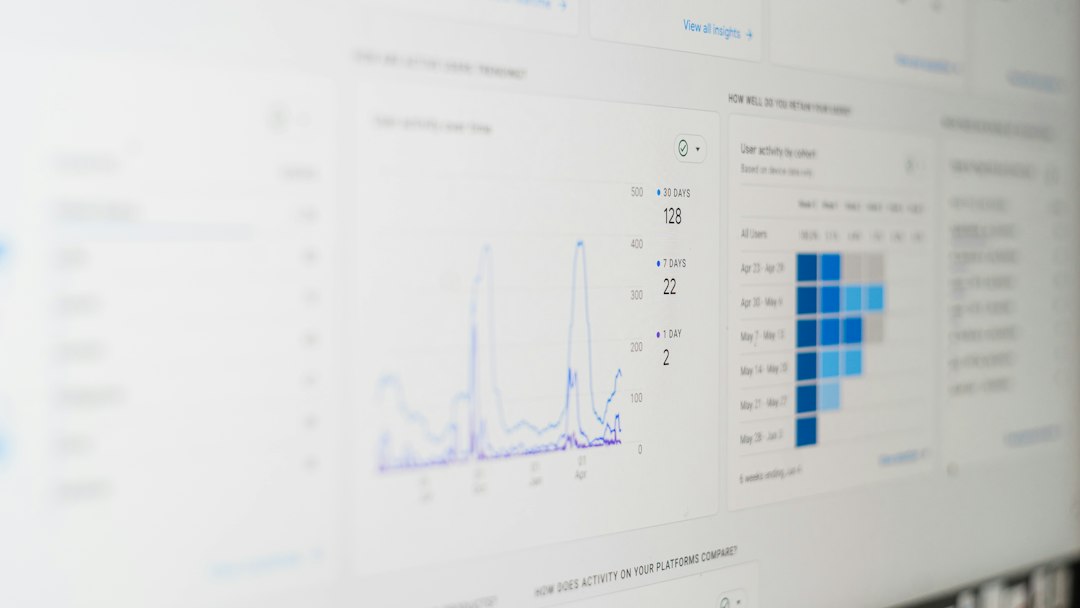
For most teams, a solid scraping system has five parts. First, a scheduler starts jobs at controlled times. Second, a fetcher sends requests with limits and retries. Third, a parser extracts fields. Fourth, a storage layer saves raw and cleaned data. Fifth, monitoring reports failures, volume changes, and unusual patterns.
This design is boring in the best way. It makes errors visible. It keeps changes traceable. It also stops one broken parser from poisoning the whole dataset.
Practical final checks before launch
- Can you explain why each field is needed?
- Have you reviewed site rules and legal risk?
- Are request rates conservative?
- Can the site owner contact you?
- Do you stop automatically after repeated errors?
- Are logs and alerts in place?
- Can you delete data if needed?
Internet scraping is useful when it is precise, respectful, and well monitored. Treat it like production software, not a throwaway script. The teams that get lasting value are the ones that collect only what they need, prove data quality, and avoid causing problems for the sites they depend on.