
Make and Activepieces are best for small and mid-sized automation teams that need speed, lower cost, and visual workflow building without the heavy contract process of enterprise platforms. They can compete well for marketing ops, sales handoffs, support routing, internal alerts, and data syncing. They fall short when a company needs deep governance, strict audit controls, large-scale robotic process automation, or complex system orchestration across hundreds of departments.
TLDR: Make is the stronger choice for teams that want polished visual automation, many app integrations, and quick deployment. Activepieces is better for teams that care about open-source control, self-hosting, and simpler pricing. For example, a 50-person agency automating lead capture, Slack alerts, CRM updates, and invoice reminders could replace 15 to 25 hours of manual work per month with either tool. A 5,000-person bank, though, will likely still prefer Workato, MuleSoft, UiPath, or Automation Anywhere for security rules, audit trails, and enterprise support.
How Make and Activepieces fit into the automation market
Make, formerly Integromat, is a visual automation platform built around scenarios. Users connect apps, set triggers, add filters, and move data through modules. Its interface is one of its biggest strengths. It shows each step clearly, which makes troubleshooting less painful than in tools that hide too much logic behind menus.
Activepieces takes a different path. It is an open-source automation platform with a clean no-code builder, self-hosting options, and a growing library of app connectors. It appeals to technical teams, startups, agencies, and privacy-focused firms that do not want every workflow locked inside a vendor-controlled cloud.
Top enterprise platforms serve a wider and heavier use case. Workato, MuleSoft, UiPath, Automation Anywhere, ServiceNow Automation Engine, and Microsoft Power Automate are built for scale, compliance, and complex approval structures. They often support thousands of workflows, formal change management, advanced identity controls, and dedicated support teams.
Ease of use: Make feels polished, Activepieces feels lean
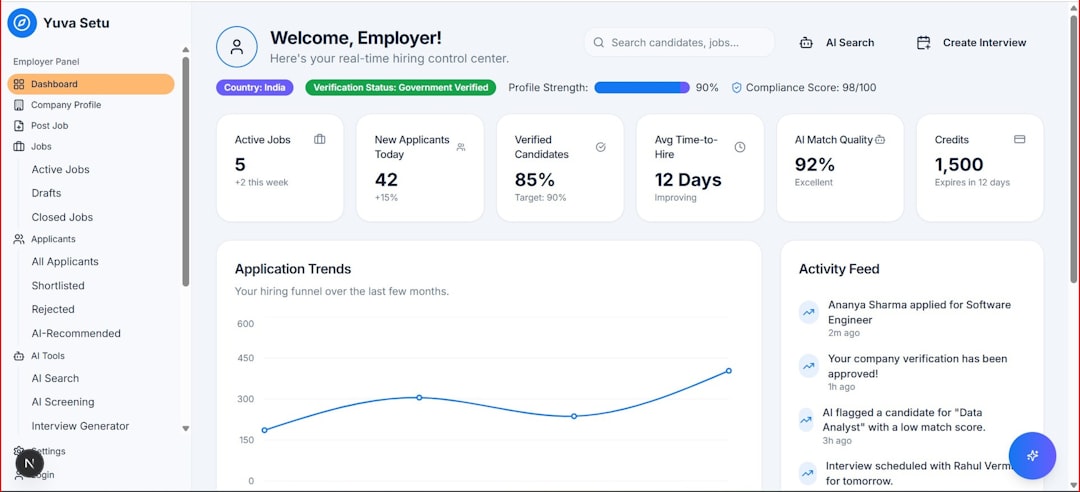
Make wins on visual workflow design. Its builder is mature, colorful, and easy to understand. A marketing manager can usually build a basic workflow in under an hour. Common tasks, such as sending form leads to HubSpot and alerting a sales channel in Slack, are straightforward.
Still, Make can get annoying. Branching logic sometimes takes more clicks than expected. Large scenarios can become crowded fast. When a workflow has 20 or more modules, scanning for one broken filter can feel like searching through a messy whiteboard.
Activepieces keeps things simpler. Its interface is cleaner and less busy. Workflows are easy to read. The tradeoff is connector depth. Some integrations lack the advanced triggers or actions found in Make. The catch is that teams may need a developer to write a custom piece sooner than expected.
Enterprise systems vary. Workato is polished but expensive. MuleSoft is powerful but technical. UiPath and Automation Anywhere are strong for robotic process automation, especially when older desktop software is involved. Power Automate works well inside the Microsoft ecosystem, though users often complain about confusing licensing and inconsistent connector behavior.
Integration libraries and connector depth
Make has a large integration catalog. It supports popular SaaS tools such as Google Sheets, Airtable, Notion, Shopify, Salesforce, HubSpot, Slack, ClickUp, and many more. Its HTTP module is also useful when a native connector is missing.
Activepieces has fewer connectors, but its open-source model changes the equation. Developers can build or modify connectors. This matters for companies with internal tools, private APIs, or strict data rules. Instead of waiting for a vendor roadmap, a team can create what it needs.
Enterprise tools usually offer the deepest integration support. Workato and MuleSoft stand out here. They support complex API management, enterprise resource planning systems, data warehouses, and multi-step business logic. For large companies running SAP, Oracle, Salesforce, ServiceNow, and custom legacy systems, this depth matters.
- Best connector variety for smaller teams: Make
- Best control over custom connectors: Activepieces
- Best enterprise integration depth: Workato or MuleSoft
- Best robotic desktop automation: UiPath or Automation Anywhere
Pricing and total cost
Make is usually cheaper than enterprise platforms. It uses usage-based plans tied to operations. That model works well for light and moderate automation. It can become harder to predict when workflows run often or process many records.
Activepieces can be even more attractive on cost, especially for teams that self-host. Open-source access reduces vendor lock-in and gives technical teams more freedom. Paid cloud plans still exist, but the overall cost structure can feel more transparent.
Enterprise automation systems cost much more. Annual contracts can run from tens of thousands to several hundred thousand dollars. Implementation may require consultants, internal admins, security reviews, and training. For a large company, that cost can be justified. For a 20-person startup, it is often overkill.
Honestly, it feels like many enterprise tools make buyers sit through three demos before anyone says a real number. Smaller teams rarely have patience for that.

Governance, security, and compliance
This is where enterprise platforms pull ahead. Large companies need strict role-based access, audit logs, environment controls, approval flows, data residency options, and service-level agreements. They also need clean separation between development, testing, and production.
Make has team features and useful admin controls, but it is not always enough for heavily regulated sectors. Activepieces can be self-hosted, which helps with data control, but the organization must manage hosting, updates, backups, and internal security practices.
Enterprise systems are built for chief information security officers and compliance teams. They support deeper identity management, stronger logging, and more formal governance. That matters in banking, insurance, healthcare, government, and global manufacturing.
Scalability and reliability
Make handles many daily business processes well. It is dependable for lead routing, data cleanup, email alerts, order updates, and reporting tasks. Problems appear when workflows become mission-critical and high-volume. Error handling then needs more care.
Activepieces can scale, especially in self-hosted setups, but this depends on infrastructure skills. A strong engineering team can tune performance and hosting. A non-technical team may prefer the hosted version or a more managed platform.
Enterprise platforms win for very large volumes and cross-company orchestration. They are built for uptime targets, recovery planning, system monitoring, and formal support channels. If a failed workflow could delay payroll, block claims processing, or stop fulfillment, a heavier system may be safer.
Best use cases for each platform
Make works best for:
- Marketing operations
- Sales lead routing
- Ecommerce order updates
- CRM and spreadsheet syncing
- Agency client workflows
- Fast prototypes before IT builds a larger solution
Activepieces works best for:
- Open-source automation programs
- Privacy-sensitive workflows
- Self-hosted automation stacks
- Developer-friendly no-code tools
- Custom internal integrations
Enterprise platforms work best for:
- Large-scale process automation
- Regulated industries
- Complex API orchestration
- Robotic process automation
- Global teams with formal governance

Which platform should a company choose?
A small company should usually start with Make if it wants fast results and broad app coverage. It is easier for non-technical users and has enough power for most everyday workflows.
A technical startup or privacy-focused team should consider Activepieces. Its open-source base and self-hosting option give it a clear edge for control. It is also a smart fit when developers want to extend the platform without waiting on vendor support.
A large enterprise should still look at Workato, MuleSoft, UiPath, Automation Anywhere, or Power Automate. These tools cost more, but they bring stronger governance, deeper security, and better support for complex environments.
The practical answer is not “one tool wins.” Make and Activepieces are excellent for speed and cost control. Enterprise systems are better for scale, compliance, and risk reduction. The right choice depends on workflow volume, data sensitivity, support needs, and the cost of failure.
FAQ
Is Make better than Activepieces?
Make is better for users who want a polished visual builder and more ready-made integrations. Activepieces is better for teams that want open-source control, self-hosting, and easier customization.
Can Activepieces replace Make?
It can replace Make for many simple and mid-level workflows. It may struggle when a team needs very specific SaaS connectors that Make already supports out of the box.
Are Make and Activepieces enterprise automation tools?
They can support business automation, but they are not direct replacements for full enterprise platforms in highly regulated or very large organizations.
Which tool is more affordable?
Activepieces may be cheaper for teams that self-host. Make is also affordable for many users, but usage-based pricing can grow as workflows run more often.
When should a company choose an enterprise platform instead?
A company should choose an enterprise system when it needs strict compliance, advanced audit logs, high-volume reliability, formal support, and automation across many departments.