
Product listing pages and product detail pages convert better when they reduce doubt, speed up decisions, and make the next action obvious. Most ecommerce losses are not caused by weak products. They come from unclear filters, thin product content, hidden costs, slow pages, poor mobile layouts, and weak calls to action. Cart abandonment still sits at about 70% across many studies, which shows how quickly shoppers leave when friction builds [source: Baymard Institute].
TLDR: A high converting product listing page helps shoppers find the right item fast, while a high converting product detail page gives them enough confidence to buy. For example, a fashion retailer that reduced filter clutter, added size confidence notes, and moved delivery details above the fold could see conversion rise from 2.1% to 2.8% within a few weeks. The best improvements usually come from better images, clearer pricing, stronger product copy, faster load times, and fewer surprises at checkout.
Build Product Listing Pages Around Fast Decisions
A product listing page, or PLP, should act like a skilled store assistant. It should not dump every item onto a screen and hope for the best. It should help shoppers narrow choices without making them work too hard.
The first job is clear sorting and filtering. Filters should match how people actually shop. A shoe store needs size, color, price, width, activity, brand, material, and availability. A skincare store needs skin type, concern, ingredients, price, and product format. Generic filters waste time.
It drives teams crazy that a shopper can be one click away from the right product, then leave because the size filter resets after each page refresh. That small bug feels minor in a backlog. To the shopper, it feels broken.
- Keep filters sticky so shoppers can adjust choices without scrolling back up.
- Show selected filters clearly with easy removal buttons.
- Display product counts beside filters so shoppers know what to expect.
- Keep sort options simple, such as best sellers, newest, price, rating, and relevance.

Make Product Cards Do More Work
Product cards should answer the first questions before the shopper opens a product page. Weak cards force too many clicks. Strong cards sell from the grid.
Each product card should include a clean image, product name, price, rating, review count, color options, sale badge, stock cue, and a quick view only if it helps. For apparel, size availability can be shown on hover or tap. For furniture, dimensions matter early. For beauty, shade range and skin type can influence the first click.
Bad product cards hide useful facts. A shopper should not need to open six tabs to compare basics. If shipping is free over a certain amount, that message can appear near the price. If an item is low stock, the card can say so. If a product is popular, a “best seller” label can reduce doubt.
Use Category Copy Without Blocking Shopping
Category copy helps search traffic and gives context, but it should not push products far down the page. A short intro works best at the top. Deeper buying advice can sit below the grid or in expandable sections.
A good PLP intro may include who the category is for, key benefits, and common use cases. It should be short. Two or three lines are enough. Search engines get context. Shoppers still see products fast.
Improve Product Detail Pages With Better Proof
A product detail page, or PDP, has one main job: remove purchase anxiety. The shopper has shown interest. Now the page must answer every buying question before doubt wins.
The top area of the PDP needs the strongest details:
- Product title that is specific, not stuffed with fluff.
- Price, discounts, and payment options shown clearly.
- High quality images with zoom, scale, and lifestyle context.
- Reviews and star rating near the title.
- Delivery, returns, and stock status near the buy button.
- Primary call to action that stands out on desktop and mobile.
Images must carry more weight than many teams expect. One plain studio image is rarely enough. Shoppers need close ups, use cases, size reference, packaging, texture, and real life context. For technical goods, diagrams and comparison photos help. For clothing, images on different body types can lower return rates.
Write Product Copy That Answers Objections
Product copy should be specific. Vague lines like premium quality or must have item do very little. The copy should explain what the product does, who it suits, what makes it different, and what the shopper should expect after purchase.
A strong PDP usually includes:
- Benefit bullets near the top for quick scanning.
- Detailed specs for careful buyers.
- Size guides, fit notes, care details, or compatibility data.
- Use cases that show how the product fits into daily life.
- Comparison blocks for similar products.
Honestly, it feels like many stores make the shopper do unpaid research. A buyer should not need to open a YouTube review, a Reddit thread, and three competitor tabs just to confirm whether a cable fits a laptop. The PDP should answer that on the page.
Place Trust Signals Near Action Points
Trust signals work best when they appear near moments of hesitation. A returns badge buried in the footer does not help much. A short returns note near the add to cart button does.
Useful trust signals include secure checkout badges, accepted payment icons, warranty details, delivery dates, free return notes, customer photos, press mentions, and verified reviews. These should not clutter the page. They should calm the shopper at the right time.
Reviews need structure too. The page should allow sorting by rating, keyword, image reviews, and verified purchase status. Review summaries help shoppers scan faster. If many people mention “true to size” or “easy setup,” that should be visible.
Speed and Mobile Layout Can Make or Break Conversion
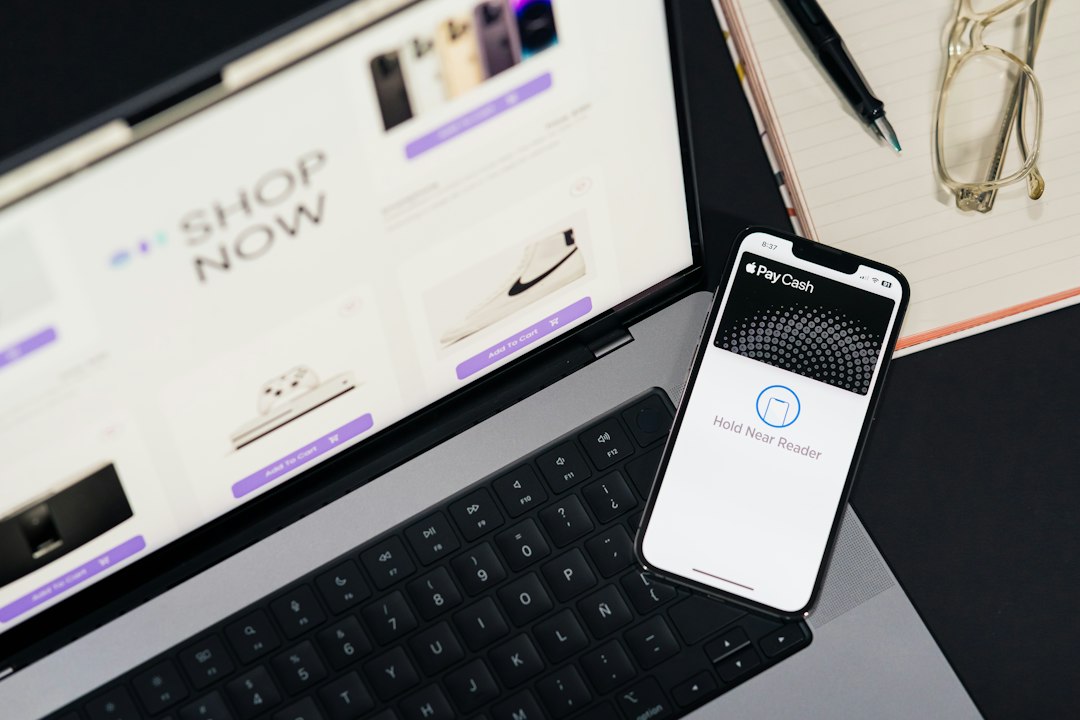
Slow pages punish revenue. PLPs often become heavy because of oversized images, tracking scripts, recommendation widgets, and third party apps. PDPs suffer from bloated review tools, autoplay media, and unused code.
Teams should compress images, use lazy loading, reduce scripts, and test on real mobile devices. The mobile buy button should be easy to reach. Sticky add to cart bars often help, as long as they do not cover key content.
Test Changes With Real Behavior
Improvement should not depend on opinions alone. Teams should study search logs, heatmaps, scroll depth, filter use, add to cart rate, image interaction, review clicks, and exit points. These signals show where shoppers hesitate.
A good testing plan may compare one change at a time. For example, a retailer can test delivery information above the buy button, then test image order, then test product card badges. Small tests add up. Random redesigns often create new problems.
FAQ
What is the main difference between a PLP and a PDP?
A PLP helps shoppers compare and choose from many products. A PDP helps them decide whether one specific product is worth buying.
What should be improved first for better conversions?
The team should start with speed, mobile usability, product images, filters, pricing clarity, and delivery information. These areas affect the largest number of shoppers.
How many product images should a PDP have?
Most products need at least 5 to 8 useful images. Complex items may need more. Each image should answer a real question about size, use, texture, parts, or fit.
Do product reviews really increase conversions?
Yes. Reviews reduce risk and add social proof. They work best when they are verified, searchable, detailed, and supported by customer photos.
How often should PLPs and PDPs be tested?
Testing should be ongoing. A monthly review of analytics, search behavior, and conversion data can reveal quick fixes and larger growth opportunities.