Cyberstalking is repeated online behavior that makes someone feel watched, threatened, or unsafe. It can happen through social media, messaging apps, email, gaming platforms, dating apps, or even shared cloud accounts. The Bureau of Justice Statistics estimated that 3.4 million people age 16 or older were stalking victims in a single year in the United States, and many cases involved technology [source: BJS].
TLDR: Cyberstalking means repeated unwanted digital contact, tracking, threats, impersonation, or monitoring. For example, an ex might use fake Instagram accounts, location tags, and shared passwords to keep tabs on someone after a breakup. A good first move is to lock down privacy settings, remove unknown followers, turn off location sharing, and save evidence. Even small changes, like making posts visible to “friends only,” can cut off a stalker’s easiest path to your daily life.
Image not found in postmeta
What cyberstalking can look like
Cyberstalking is not just “someone being annoying online.” It is a pattern. The person keeps pushing into your digital life after you have made it clear you do not want contact.
Common signs include:
- Repeated messages after you asked them to stop.
- Fake profiles used to follow, message, or watch you.
- Threats against you, your family, your job, or your pets.
- Doxxing, where private details like your address or phone number are posted online.
- Impersonation, such as creating accounts in your name.
- Location tracking through apps, tags, check-ins, or shared devices.
- Monitoring your friends to learn where you are or who you see.
The goal is often control. Sometimes it is revenge. Sometimes it is obsession. Whatever the motive, you do not have to “just ignore it” if it keeps happening.
Why privacy settings matter
Privacy settings are not perfect. Honestly, it feels like every app hides the useful controls in a different menu. You may spend 40 seconds looking for a setting that should take five. Still, these controls can reduce what a stalker can see.
Start with the basics:
- Set personal profiles to private.
- Hide your friends list when possible.
- Limit who can see old posts.
- Review tagged photos before they appear on your profile.
- Turn off public comments from strangers.
- Remove your email and phone number from public profile fields.
- Stop apps from showing your active status.
Also check your profile from a stranger’s view. Many platforms let you preview what the public can see. If not, ask a trusted friend to look while signed out. You may find old photos, workplaces, school names, or location clues you forgot about.
Use social media controls with intent
Blocking is useful, but it is not the only tool. A blocked person may create a new account. That is irritating, but expected. Use several controls together.
- Block accounts that contact or watch you.
- Restrict users if you want to limit interaction without alerting them.
- Mute keywords, names, or comments that trigger harassment.
- Report threats, impersonation, and private-image abuse.
- Filter message requests so strangers cannot reach your main inbox.
- Approve followers manually instead of allowing anyone in.
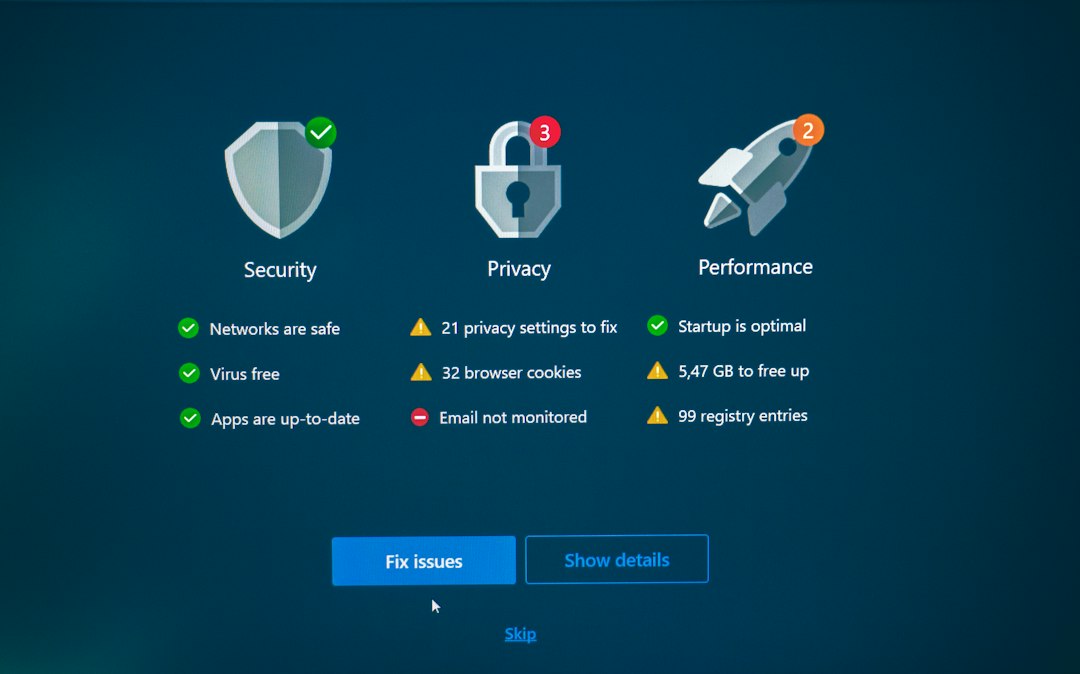
Do not announce every step you take. If you are changing accounts, tightening settings, or gathering evidence, keep that plan quiet. Stalkers often react when they feel access slipping away.
Safety tools that can help
Some of the best safety tools are already on your phone. Use them before buying anything new.
- Password managers: Create strong, unique passwords for every account.
- Two-factor authentication: Use an authenticator app or security key when possible.
- Login alerts: Get notified when someone signs in from a new device.
- Device checkups: Review phones, tablets, and laptops connected to your accounts.
- Location controls: Turn off location sharing in maps, photos, fitness apps, and family apps.
- AirTag and tracker alerts: Pay attention to unknown tracker warnings.
The FTC suggests saving suspicious messages and reporting online harassment when it includes threats, impersonation, or stolen personal information [source: FTC].
Keep evidence before you block everything
This part is frustrating. Your first instinct may be to delete the messages. Don’t. Evidence matters.
Save:
- Screenshots with dates and usernames visible.
- Profile links and account handles.
- Emails with full headers if possible.
- Voicemails and call logs.
- A simple timeline of incidents.
Store copies somewhere safe, such as a cloud folder the stalker cannot access. If you share devices or passwords with the person, use a trusted device to change credentials.
When to get help
If there are threats, sexual images, blackmail, or signs of physical tracking, treat it as serious. Tell someone you trust. Contact the platform. Consider contacting local police or a victim support service. If you believe you are in immediate danger, call emergency services.
Cyberstalking can make the internet feel smaller and meaner than it should. But locking down accounts, cutting off location clues, and using safety tools can give you more control. Start with one account today. Fix the weakest setting first. Then move to the next.