
Treat subdomains as separate mini sites unless you have a clear reason to split them. That is the simple rule. A blog at blog.example.com may not get the same SEO boost as example.com/blog. Google can understand both, but your reporting, links, crawl data, and sanity may not agree.
TLDR: Use subdomains when the content truly needs its own space, like support.example.com for help docs or app.example.com for a login area. Use subfolders when you want SEO strength to stay close to the main site, like example.com/blog. In one common case, a SaaS site moved 120 blog posts from a subdomain to a subfolder and saw a 28% lift in organic clicks after 90 days. Subdomain SEO tools help you inspect the mess, but good domain architecture prevents the mess.
Subdomains are not evil
People argue about subdomains like they are pineapple on pizza. Loudly. Forever.
But subdomains are just tools. They are useful when a section has a different job, tech stack, audience, or security need.
- Good use: support.example.com for help articles.
- Good use: app.example.com for a logged in product.
- Good use: store.example.com when ecommerce runs on a separate platform.
- Risky use: blog.example.com when the blog is your main SEO growth engine.
The issue is not the subdomain itself. The issue is split signals. Internal links may be weaker. Authority may spread out. Analytics may need extra setup. Site audits may miss things unless you tell the tool where to look.
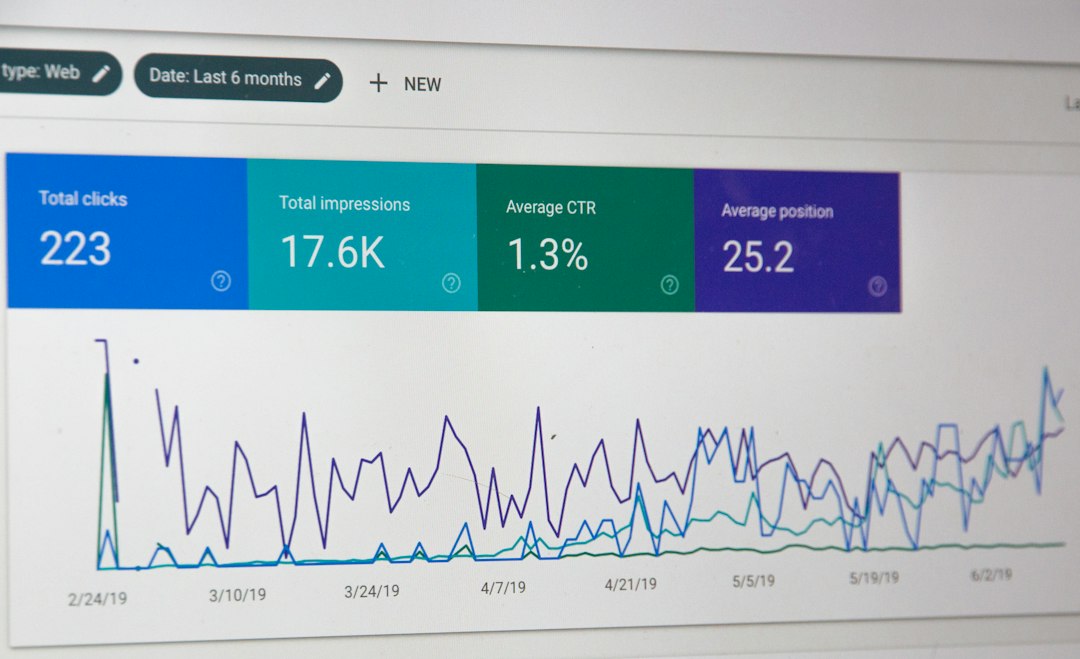
Subdomain SEO tools: what they actually do
Subdomain SEO tools are not magic goggles. They do not make a bad structure good. They help you see how each subdomain performs.
Most tools can do five useful things:
- Crawl each subdomain like a separate site.
- Track rankings for pages on different hosts.
- Check backlinks pointing to each subdomain.
- Find technical errors like broken canonicals or redirect loops.
- Compare traffic between subdomains and folders.
That sounds great. It often is. The annoying bit is setup. Honestly, it feels like some tools need three extra clicks just to admit that blog.example.com exists. Then you wait. Then the crawl says “blocked.” Then you remember robots.txt. Very fun. Very normal. Very why is this my Tuesday?
Still, these tools are useful when your site has many subdomains. They make hidden problems visible.
Domain architecture: the part people skip
Domain architecture means how your site is arranged. It is the floor plan. SEO tools are the flashlight. You need both.
A simple architecture helps users. It helps bots too. A messy one forces everyone to guess.
Think of it like a supermarket.
- Main domain: the front door.
- Subfolders: aisles inside the store.
- Subdomains: separate buildings across the parking lot.
If your blog is in another building, people can still find it. Search engines can too. But you must add signs. Lots of signs. Internal links. Sitemaps. Clear navigation. Shared branding. Correct tracking.
If you forget those signs, traffic leaks. Users bounce. Reports look weird. Everyone blames the SEO tool. The tool did not build the parking lot.
When to use a subdomain
Use a subdomain when separation helps more than it hurts.
- Different platform: Your main site uses WordPress, but docs use a help desk tool.
- Different audience: Investors, developers, and customers need separate experiences.
- Different function: App login pages do not need to rank like blog posts.
- Different risk: User generated content may need distance from the main brand site.
- Different language setup: Some global sites prefer country or language subdomains.
If the subdomain has a clear job, fine. If it exists because “the CMS was easier that way,” pause. That is how small tech choices turn into SEO chores.
When to use a subfolder
Use a subfolder when the content supports the main site’s authority and sales path.
- Blog: example.com/blog
- Guides: example.com/guides
- Case studies: example.com/customers
- Resources: example.com/resources
This setup often makes SEO cleaner. Links point to the same domain. Analytics is simpler. Crawls are easier. Internal links feel natural. Reports are less likely to turn into detective work.

Site-audit alternatives to subdomain SEO tools
You do not always need a tool labeled “subdomain SEO.” You need a tool that can inspect your full web presence.
Here are solid alternatives:
- Technical crawlers: Great for broken links, index tags, canonicals, titles, and status codes.
- Search Console properties: Add each subdomain and the full domain property.
- Log file analysis: See how bots really crawl your pages. Not how you hope they crawl.
- Analytics reports: Track users across hostnames. Fix referral self tracking.
- Rank trackers: Tag keywords by section, subdomain, folder, and intent.
- Backlink tools: Compare links going to the root domain versus subdomains.
The goal is simple. Build one clear view. If your data lives in five dashboards, someone will miss the obvious. Expect to waste time on tiny tracking gaps. One missing cross domain setting can make a smooth user journey look like a traffic drop.
A quick audit checklist
Use this before you panic and migrate everything.
- Indexing: Are key subdomain pages indexed?
- Canonicals: Do they point to the right version?
- Internal links: Does the main site link to the subdomain often enough?
- Sitemaps: Are subdomain URLs included and submitted?
- Robots.txt: Is anything blocked by mistake?
- Backlinks: Which host gets the strongest links?
- Analytics: Are visits crossing subdomains tracked correctly?
- Speed: Is one subdomain much slower than the main site?
- Content overlap: Are pages competing with each other?
If three or more items look bad, fix those first. Do not migrate just because a chart looks sad for two weeks.
Should you move a subdomain to a subfolder?
Maybe. Not always.
Move it when the content is central to SEO growth. Blog posts, guides, and product education often belong close to the main domain.
Do not move it just for fashion. A migration has risk. Redirects can fail. Rankings can wobble. Tracking can break. Developers may sigh at you in Slack.
If you do move, plan it like a small launch.
- Map every old URL to a new URL.
- Use 301 redirects.
- Update internal links.
- Refresh sitemaps.
- Check canonicals.
- Watch Search Console daily for the first two weeks.
- Compare traffic after 30, 60, and 90 days.

Simple decision guide
Ask these questions:
- Does this section need to rank? If yes, favor a subfolder.
- Does it use a separate app or tool? If yes, a subdomain may be fine.
- Will users move between it and the main site? If yes, keep paths clear.
- Can your team audit it properly? If no, simplify.
- Is the split helping anyone? If no, why keep it?
That last question is rude but useful.
The sane SEO setup
For many sites, the best setup is boring. Main marketing content stays on the root domain in subfolders. Tools, apps, support portals, and special systems may live on subdomains. Every section gets tracked. Every section gets crawled. Every section has a purpose.
Subdomain SEO tools help you monitor the machine. Site-audit alternatives help you catch deeper technical problems. Domain architecture decides how hard the job will be.
So pick the structure first. Then pick the tool. Not the other way around.