
Remote work is great. Pajamas are close. Commutes are gone. But managers still ask one big question: Is the work actually getting done? That is where Veriato comes in. It is a worker tracking and monitoring tool used by companies that want more visibility into employee activity, productivity, and risk.
TLDR: Veriato is a powerful monitoring platform for remote teams, but it is not a casual “check in” tool. It can track apps, websites, activity, and user behavior in detail. It works best for companies that need security, compliance, or deep productivity data. Use it with clear rules, consent, and trust, or it can feel a bit too “Big Brother.”
What Is Veriato?
Veriato is employee monitoring and workforce analytics software. It helps organizations see how people use company devices. It can show what apps are open, which websites are visited, and how much active time is spent working.
It is often used for remote worker tracking, but it is more than a digital timesheet. Veriato also focuses on security. It can help spot risky behavior, insider threats, and strange user activity.
Think of it like a smart office camera, but for computer activity. Not spooky if used well. Very spooky if used badly.
Who Is Veriato Best For?
Veriato is not really built for a tiny team that just wants to know who is online. It may be too powerful for that. Like using a fire hose to water a cactus.
It is better for:
- Medium and large companies with many remote workers.
- Finance, healthcare, legal, and government teams that need strong oversight.
- IT and security teams that care about insider threats.
- Managers who need productivity trends, not just gut feelings.
- Compliance teams that need records and reporting.
If your company handles sensitive data, Veriato starts to make a lot of sense. If your company sells novelty socks from a garage, maybe start with something lighter.
Main Features for Remote Worker Monitoring
Veriato has many features. Some are for productivity. Some are for security. Some sit right in the middle and wave at both sides.
1. Activity Tracking
Veriato can track user activity on company devices. This may include apps used, websites visited, login times, and idle time. Managers can see work patterns across the day.
This helps answer simple questions:
- Are remote workers active during work hours?
- Which tools are used most?
- Are people spending too much time on non-work sites?
- Are workflows slow because of bad tools?
The useful part is not spying on every click. The useful part is finding patterns. Maybe your team is not lazy. Maybe the software they use is slow and annoying. That happens a lot.
2. Screenshots and Session Review
Depending on setup, Veriato can capture screenshots or recordings of user activity. This is a strong feature. It can help with investigations. It can also make employees uncomfortable if it is not explained clearly.
Use this with care. Tell workers what is monitored. Tell them why. Tell them when. Nobody likes surprise surveillance. It ruins coffee.
3. Productivity Reports
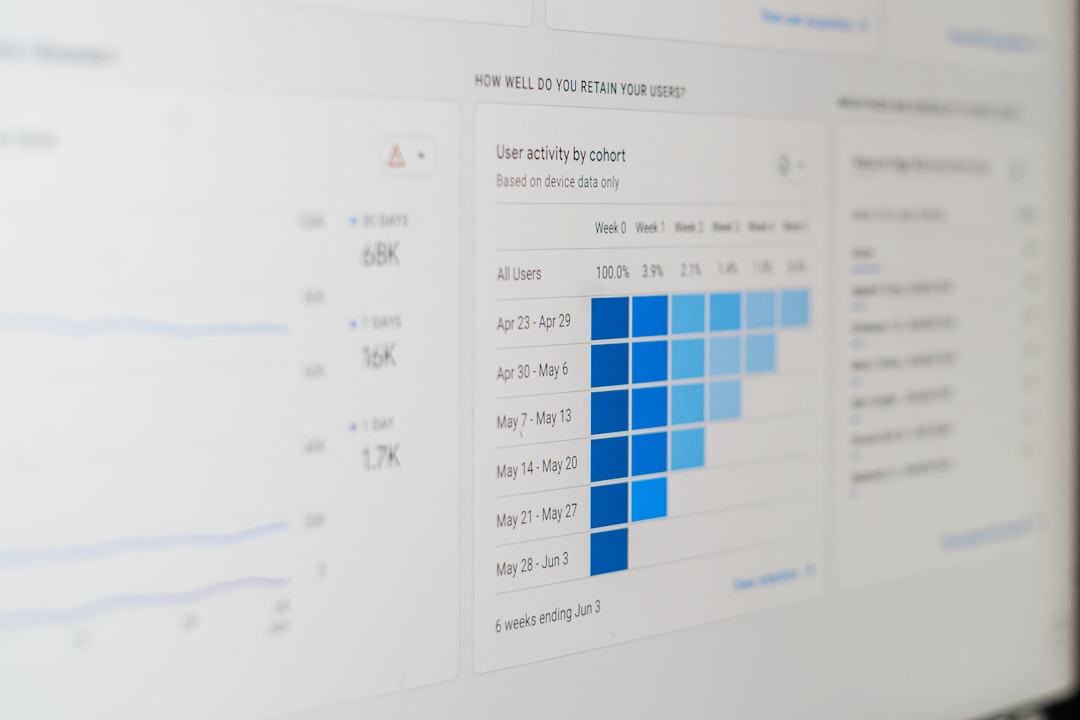
Veriato can turn activity into reports. These reports may show active time, idle time, app usage, and website categories. This can help managers compare team output with work habits.
The reports are useful because they can show trends over weeks or months. One slow day does not mean much. Everyone has a Monday. But a long-term pattern can point to a real issue.
4. Insider Threat Detection
This is one of Veriato’s strongest areas. It can help identify behavior that may be risky. For example, a user may access files they normally never touch. Or they may work at odd hours. Or they may copy large amounts of data.
That does not always mean something bad is happening. Maybe they are finishing a project. Maybe they are covering for a teammate. But Veriato can raise a flag so security teams can check.
Important note: Alerts should start conversations, not witch hunts.
5. Alerts and Behavior Analytics
Veriato can provide alerts based on rules or unusual behavior. This can help catch problems early. For remote teams, this is valuable. You cannot walk by someone’s desk and notice something odd. The software becomes your early warning system.
Good alerts save time. Bad alerts create noise. So setup matters. A lot.
What Is Veriato Like to Use?
Veriato is more serious than cute. Do not expect a bubbly app with cartoon mascots cheering every time someone opens a spreadsheet. This is a business tool. It is built for control, reporting, and investigation.
The dashboard can give managers and admins a clear view of activity. But because Veriato has many features, it may take time to learn. Smaller teams may find it a bit heavy. Larger teams may like the depth.
In simple words: Veriato is powerful, but it is not plug and play fun. It is more like a cockpit than a bicycle bell.
Pros of Veriato
- Deep visibility: It gives detailed insight into remote worker activity.
- Strong security focus: It is useful for insider threat detection.
- Helpful reports: Managers can spot productivity trends.
- Good for compliance: It can support record keeping and audits.
- Custom alerts: Teams can watch for specific risky actions.
Cons of Veriato
- Can feel invasive: Workers may dislike it if communication is poor.
- Learning curve: It may take time to set up and manage well.
- Not ideal for small teams: It may be more than they need.
- Pricing may require a quote: Costs can depend on company size and needs.
- Needs strong policies: Without rules, monitoring can become messy.
Veriato for Remote Teams: The Good Stuff
Remote work can make management harder. Some people thrive at home. Others struggle. Some feel invisible. Others feel over-watched. Veriato can help bring facts into the conversation.
For example, a manager may think a worker is not engaged. Veriato might show the worker is active, but stuck in meetings all day. That is not a lazy worker. That is a calendar monster.
It can also show when teams are using too many tools. If workers jump between five apps to finish one task, productivity drops. Veriato can help reveal that mess.
The Tricky Part: Trust
Monitoring remote workers is sensitive. Very sensitive. If employees feel watched every second, morale can sink fast. People do not do their best work when they feel like a goldfish in a bowl.
The best way to use Veriato is with transparency. Tell employees:
- What is being monitored.
- Why it is being monitored.
- Who can see the data.
- How long data is stored.
- How monitoring protects the company and the worker.
Also, check local laws. Employee monitoring rules differ by country, state, and industry. Legal advice is not optional here. It is the seatbelt.
Pricing
Veriato pricing is usually based on business needs, number of users, and selected features. Many companies will need to contact Veriato for a quote. That is common for enterprise-style monitoring tools.
This means it may not be the cheapest option. But it may be worth it for companies that need strong tracking, security, and compliance features in one platform.
Final Verdict
Veriato is a serious remote worker tracking and monitoring tool. It is best for companies that need deep visibility, strong reports, and security-focused alerts. It can help managers understand productivity. It can help IT teams spot risky behavior. It can also support compliance needs.
But it must be used carefully. Veriato is not a toy. It is not a sneaky way to catch people taking a long lunch. It works best when paired with honest communication and clear policies.
If your company needs simple time tracking, Veriato may be too much. If your company needs a powerful platform for remote workforce monitoring and risk detection, it is worth a close look. Just remember the golden rule: track work, protect trust, and do not turn your team into a detective show.