
The iFixit Pro Tech Toolkit is the best all-around pick if you repair phones, laptops, game consoles, toys, glasses, and random household gadgets. It bundles a 64-bit driver kit with spudgers, tweezers, opening picks, suction tools, and prying gear, which makes it far more useful than a driver-only set for most people [source: iFixit].
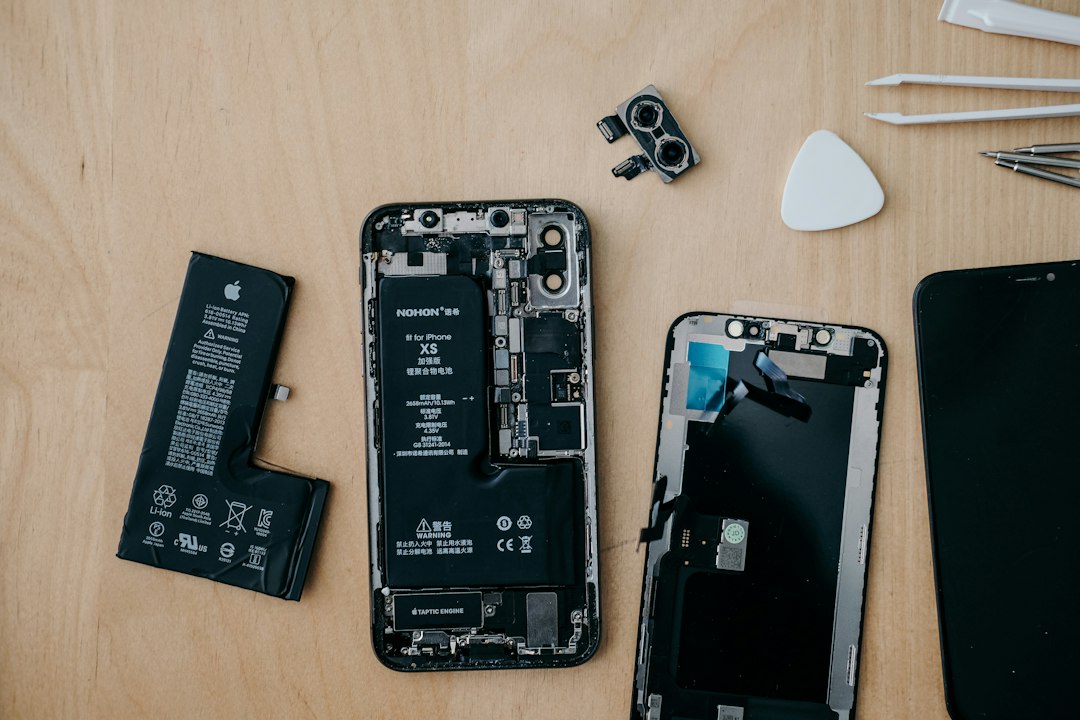
TLDR: Buy the iFixit Pro Tech Toolkit if you want one repair kit that handles about 80% to 90% of common small electronics jobs at home. For example, replacing an iPhone battery may need bits, picks, a suction cup, tweezers, and a spudger, all of which are in the Pro Tech kit. Choose the Mako Driver Kit if you only need precision bits. Pick the Manta Driver Kit if you work on both tiny screws and larger hardware.
What You Get With the iFixit Pro Tech Toolkit
The Pro Tech Toolkit feels built for real repair work, not just “tighten one screw and put it away” jobs. The case opens flat. The bits are labeled. The driver has a smooth swivel cap. Small touches matter when a phone has fourteen tiny screws and three of them are different lengths.
Inside, you get a strong mix of tools:
- 64 precision bits for phones, laptops, consoles, tablets, and small appliances.
- Aluminum driver with magnetic bit socket and rotating top.
- Opening picks for glued screens and plastic clips.
- Spudgers and pry tools for connectors and cases.
- Tweezers for ribbon cables, screws, and tiny brackets.
- Suction handle for screen lifts.
- Magnetic pad to help keep screws sorted.
That last part matters more than people think. Expect to waste time if you dump screws into a cup. A magnetic mat can save several minutes per repair, and it may save the whole device if one screw is longer than the others.
Where the Pro Tech Toolkit Shines
This kit is excellent for people who fix more than one type of device. Phones are obvious. So are MacBooks, ThinkPads, Joy-Cons, Steam Decks, cameras, keyboards, and headphones. It also works for odd jobs, like tightening glasses or opening battery compartments with strange screws.
The bit selection is the star. You get common sizes like Phillips, Torx, Torx Security, Pentalobe, Tri-point, Hex, Flathead, and Gamebit. That means fewer annoying moments where the device is open, the battery is loose, and then one weird screw stops the whole job.
It also feels friendly for beginners. The tools are not intimidating. The labels are clear. The case keeps things tidy. If you follow repair guides, this kit lines up well with the tools those guides often call for.
What Gets Annoying
Honestly, it feels like the Pro Tech Toolkit tries to be compact and complete at the same time, and that creates a few small tradeoffs. The case is nice, but once you are mid-repair, it takes up more bench space than a simple driver roll. Not a dealbreaker. Just mildly annoying.
The plastic opening tools also wear out. That is normal. They are supposed to be softer than the device. Still, if you open glued screens often, expect picks and plastic pry tools to get chewed up.
The driver is great for precision screws, but it is not meant for high-torque work. Do not use it like a garage screwdriver. For stubborn laptop hinge screws or larger electronics, the Manta Driver Kit may feel better.
iFixit Pro Tech Toolkit vs Mako Driver Kit
The Mako Driver Kit is the stripped-down choice. It is basically the precision driver and 64-bit set. No suction cup. No tweezers. No opening picks. No spudgers.
That sounds limited, but it can be perfect. If you already own prying tools, or if you mostly repair laptops and game controllers, the Mako makes sense. It is smaller, cleaner, and usually cheaper than the Pro Tech Toolkit.
Pick the Mako if:
- You mainly need bits and a good driver.
- You repair laptops, PCs, controllers, or mechanical keyboards.
- You already own tweezers, picks, and pry tools.
- You want a compact kit for a drawer or travel bag.
Skip it if you repair phones often. A driver alone will not separate adhesive, lift screens, or disconnect fragile cables safely.
iFixit Pro Tech Toolkit vs Manta Driver Kit
The Manta Driver Kit is a different beast. It includes a larger set of bits and typically covers both precision 4 mm bits and larger 1/4 inch bits. That gives it more range for bigger screws and tougher jobs.
The Manta is better for mixed workbenches. Think desktop PCs, appliances, bikes, furniture hardware, electronics, and toys. It feels less like a phone repair kit and more like a serious driver set.
Pick the Manta if:
- You want more bit sizes than the Mako or Pro Tech kit.
- You work on both electronics and larger household items.
- You need a beefier driver for higher torque.
- You already have separate prying and opening tools.
The catch is simple: the Manta does not replace the Pro Tech Toolkit for phone repair. You will still want picks, spudgers, tweezers, and suction tools.
Who Should Buy Each Kit?
- Best for most people: iFixit Pro Tech Toolkit.
- Best for laptop and controller repairs: Mako Driver Kit.
- Best for larger mixed repairs: Manta Driver Kit.
- Best starter kit: Pro Tech Toolkit, because it includes more than bits.
If you repair devices for a school, rental business, or office, tool choice is only part of the job. Tracking repairs matters too. A simple maintenance management software setup can help log broken devices, parts, and repair status. For rental work, pairing repairs with rental finance tools can keep costs from turning into guesswork.
Final Verdict
The iFixit Pro Tech Toolkit is the most useful choice for everyday electronics repair. It is not the cheapest option, and some consumable tools will wear out, but the full mix of bits, pry tools, tweezers, and opening gear makes it easy to recommend.
Get the Mako if you want a small, neat precision driver kit. Get the Manta if you need more bit coverage and stronger drivers. But if your goal is to open, fix, and reassemble modern gadgets without hunting for missing tools, the Pro Tech Toolkit is still the safest bet.
One last side note: if your repair bench doubles as a content desk and you record repair videos, you may also want handy video conversion tools for trimming and sharing clips. It is not part of the toolkit, but it can make repair documentation less painful.