
For SaaS SEO, start with technical health, search intent, page speed, and conversion-focused content. Those four areas usually move rankings faster than publishing random blog posts. Google recommends a Largest Contentful Paint of 2.5 seconds or less, so performance is not a “nice extra” for SaaS sites; it affects user trust and search quality signals [source: Google].
TLDR: Use six checklists: technical SEO, keyword mapping, on-page optimization, content updates, performance, and authority tracking. For example, a SaaS company with 120 landing pages might find that 18 pages have missing meta titles, 11 load slower than 4 seconds, and 34 target the same keywords. Fixing those issues can improve crawl quality, reduce wasted content, and lift demo signups without creating 50 new articles. Start with audits, then move to content and links.
1. Technical SEO Checklist: Fix Crawl Problems First
If search engines cannot crawl your site cleanly, great content will still struggle. SaaS websites often have pricing pages, feature pages, help docs, blog posts, and app subdomains. That gets messy fast.
Use tools like: Screaming Frog, Sitebulb, Ahrefs Site Audit, and Google Search Console.
- Check for 404 errors, redirect chains, and broken canonical tags.
- Review robots.txt and XML sitemaps.
- Find duplicate titles and missing meta descriptions.
- Make sure trial, pricing, and demo pages are indexable.
- Check if JavaScript blocks key page content.
Honestly, it gets annoying when a crawl takes 10 minutes and then shows 900 low-value filter URLs. Still, that pain is useful. It tells you where search engines may be wasting crawl time.

2. Keyword and Intent Checklist: Match Pages to Real Searches
SaaS SEO fails when every page targets broad keywords like “CRM software” or “project management tool.” Those terms are hard, crowded, and vague. Better targets often sit closer to pain, role, or use case.
Use tools like: Semrush, Ahrefs, Moz, AlsoAsked, and Google Search Console.
- Group keywords by intent: informational, commercial, comparison, and transactional.
- Create pages for use cases, industries, alternatives, and integrations.
- Avoid keyword overlap between blog posts and product pages.
- Look for keywords with buying signals, such as “best,” “pricing,” “alternative,” and “for teams.”
A simple example: instead of one page for “email automation,” create separate pages for “email automation for ecommerce,” “email automation for SaaS onboarding,” and “Mailchimp alternative for B2B teams.” Each page serves a clearer need.
3. On-Page SEO Checklist: Make Every Page Easier to Rank and Read
On-page SEO is not stuffing keywords into headings. It is about making a page useful, clear, and complete. SaaS buyers skim. They want proof, features, pricing clues, and answers fast.
Use tools like: Clearscope, Surfer SEO, Frase, NeuronWriter, and Grammarly.
- Use one clear H1 that matches the page topic.
- Add short sections for benefits, features, use cases, proof, and FAQs.
- Place the primary CTA above the fold.
- Add internal links to pricing, demo, case studies, and related guides.
- Use schema where useful, such as FAQ, SoftwareApplication, or Review schema.
The goal is simple: help users decide faster. It drives me crazy when SaaS pages hide pricing clues behind vague copy like “Contact us to start.” Even a pricing range or plan comparison can reduce friction.
4. Content Refresh Checklist: Improve What Already Exists
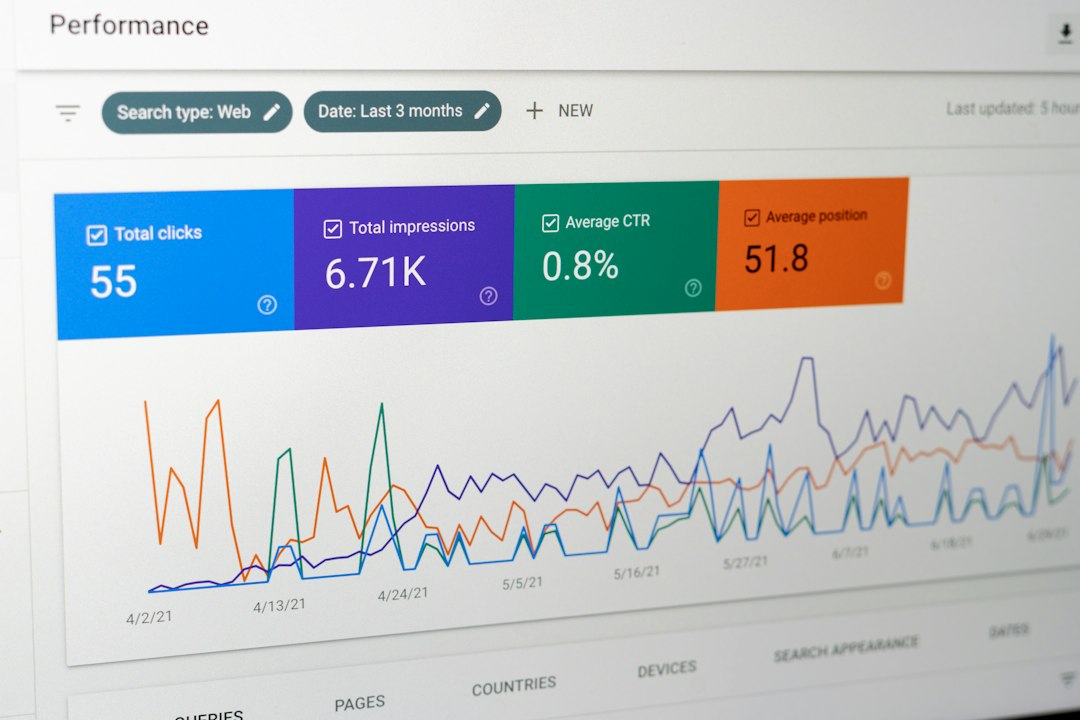
Most SaaS sites do not need more content right away. They need better content. Old posts often sit on page two with decent impressions and weak clicks. Those pages are easy wins.
Use tools like: Google Search Console, GA4, Ahrefs Content Explorer, and Clearscope.
- Find pages with high impressions but low CTR.
- Update old screenshots, product details, and feature names.
- Add missing sections based on current search results.
- Improve titles with stronger value, not clickbait.
- Merge thin posts that target the same topic.
Refresh comparison pages at least every quarter. Competitors change pricing, features, and positioning often. Outdated claims can hurt trust fast.
5. Website Performance Checklist: Speed Up Key Pages
Performance matters because SaaS buyers are impatient. If the homepage, pricing page, or demo page feels slow, visitors leave before they see the product value.
Use tools like: PageSpeed Insights, Lighthouse, WebPageTest, GTmetrix, and SpeedCurve.
- Compress large hero images and product screenshots.
- Remove unused scripts, popups, and heavy tracking tags.
- Use lazy loading for images below the fold.
- Check mobile speed, not just desktop scores.
- Watch Core Web Vitals over time, not once per year.
Expect to waste time on third-party scripts. Chat widgets, heatmap tools, and ad pixels often add more delay than teams expect. Keep what helps revenue. Cut what only creates noise.
6. Authority and Reporting Checklist: Track Rankings, Links, and Revenue
Rankings are useful, but revenue is better. SaaS SEO should connect search traffic to trials, demos, signups, and pipeline. Otherwise, you are just watching charts move.
Use tools like: Looker Studio, GA4, Google Search Console, Ahrefs, Semrush, and HubSpot.
- Track rankings for product, comparison, and use case keywords.
- Monitor backlinks to key pages.
- Measure assisted conversions from organic traffic.
- Create dashboards for signups, demos, and trial starts.
- Review internal links to money pages every month.
Build links to pages that matter. A blog post may attract links, but your alternative pages, integration pages, and solution pages often need internal support to rank.

Final Checklist for SaaS SEO Growth
- Weekly: Check Search Console errors, rankings, and top traffic changes.
- Monthly: Refresh weak pages and improve internal links.
- Quarterly: Run a full technical audit and update comparison content.
- Always: Tie SEO work to signups, demos, trials, and revenue.
SaaS SEO works best when it is practical. Fix crawl issues. Match search intent. Improve speed. Update old content. Track outcomes that sales teams care about. Do that, and rankings become a side effect of a cleaner, faster, more useful website.