
Videography is the craft of recording moving images to tell a clear story, explain an idea, or capture an event. It covers everything from wedding films and YouTube tutorials to product demos, interviews, travel clips, real estate tours, and social media ads. Demand is strong because video is now a normal part of business communication; 91% of businesses use video as a marketing tool according to Wyzowl [source: Wyzowl]. For beginners, the goal is not to buy the most expensive camera. It is to learn how to plan, shoot, record clean sound, and edit footage into something people want to watch.
TLDR: Videography means creating videos with purpose, not just pressing record. A beginner can start with a phone, a small tripod, a clip-on microphone, and free editing software. For example, a local bakery could film a 30-second behind-the-scenes video of fresh bread coming out of the oven and use it to boost social engagement. If that video gets even 15% more comments than a normal photo post, it shows why basic video skills matter.
What Does a Videographer Do?
A videographer plans and captures video footage, often with a small crew or alone. They may choose the camera angle, set up lights, monitor audio, direct the subject, and edit the final piece. In many real jobs, one person does it all. That can be stressful, but it also makes the role creative and flexible.
Videography is often more practical than glamorous. You may carry cases, charge batteries, fix bad lighting, calm nervous clients, and rename files at midnight. Still, the work is rewarding because you can turn ordinary moments into something polished and memorable.
Cinematography and videography overlap, but they are not always the same. Cinematography is usually linked to films, visual style, and larger productions. Videography is more common in events, business content, online videos, education, and smaller commercial projects. Both require a good eye. Both reward preparation.
Essential Skills for Beginners
1. Storytelling
Good video starts with a point. Ask one simple question before you shoot: What should the viewer understand or feel by the end? A product video might show trust. A wedding film might show emotion. A tutorial should remove confusion. Without a clear goal, even beautiful footage feels empty.
2. Composition
Composition is how you arrange people, objects, and space inside the frame. Use the rule of thirds as a basic guide. Place the subject slightly off-center. Leave room in the direction they are looking. Watch the background. A trash can, bright exit sign, or messy desk can ruin an otherwise solid shot.
3. Camera Movement
Beginners often move the camera too much. Start simple. Use locked-off shots, slow pans, and steady walking shots. Movement should serve the story. If you move just because you are bored, the viewer will feel it.
4. Lighting
Light shapes the mood. Soft light is flattering for faces. Harsh light creates strong shadows. Window light can look great, but it changes fast. A small LED panel gives you more control. Learn the basic three-point lighting setup: key light, fill light, and back light. You do not always need all three, but knowing the pattern helps.
5. Audio
Bad audio makes video feel cheap. Viewers may forgive a slightly soft image. They will not forgive muffled speech. Use an external microphone whenever possible. A simple lavalier mic can make interviews sound far better than built-in camera audio.
6. Editing
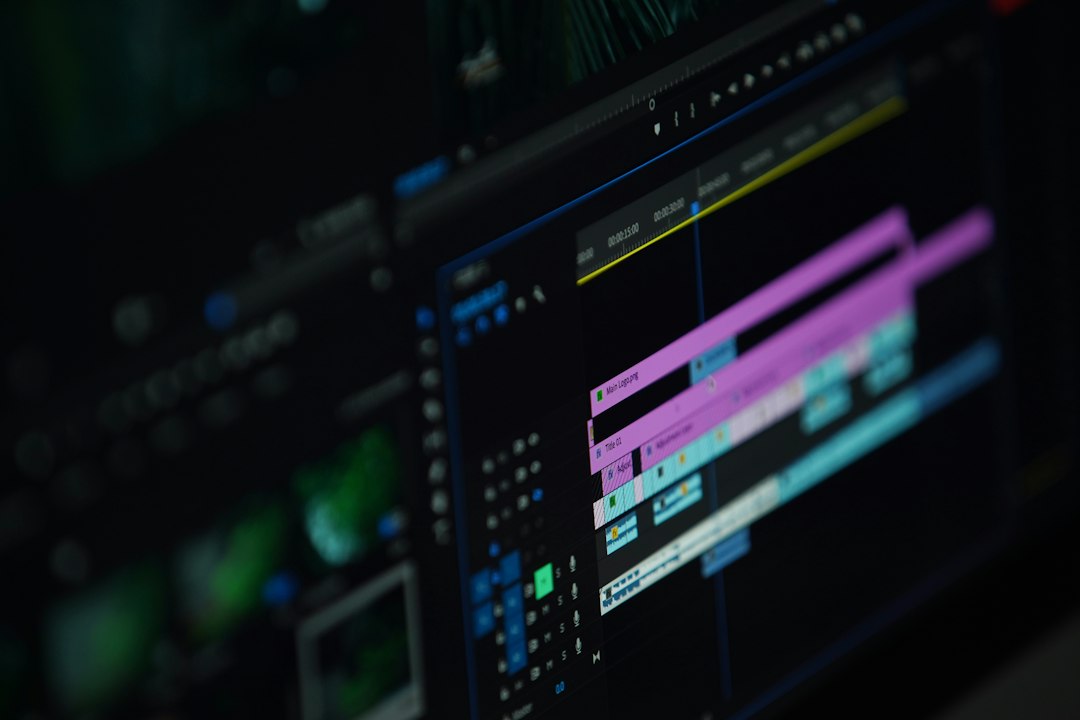
Editing is where the video becomes clear. Cut pauses. Remove weak moments. Match visuals to sound. Keep the pace tight. Honestly, it feels ridiculous when editing apps hide basic audio controls three menus deep, but learning those controls saves bad footage. Good editing is less about fancy effects and more about good choices.
Tools You Need to Start
- Camera: A smartphone, mirrorless camera, DSLR, or cinema camera can work. Start with what you own.
- Tripod: This is one of the best beginner buys. Stable footage looks more professional instantly.
- Microphone: Choose a lavalier mic for interviews or a shotgun mic for general recording.
- Lighting: A small LED light or softbox helps when rooms look flat or gloomy.
- Memory cards and storage: Video files are large. Use reliable cards and back up everything.
- Editing software: DaVinci Resolve, Adobe Premiere Pro, Final Cut Pro, CapCut, and iMovie are common options.
Do not buy every gadget at once. Gear piles up fast. Start with a camera, microphone, tripod, and one light. Add tools only when you know what problem they solve.
Understanding Camera Settings
Three settings control most of the image: aperture, shutter speed, and ISO. Aperture affects brightness and background blur. Shutter speed affects motion blur. ISO brightens the image but can add noise.
A common beginner rule is to set shutter speed at roughly double your frame rate. If you shoot at 24 frames per second, use a shutter speed near 1/50. If you shoot at 30 frames per second, use around 1/60. This gives motion a natural look.
White balance also matters. It tells the camera what “white” should look like under different light. Auto white balance can shift mid-shot, which is annoying during interviews. Set it manually when you can.
Beginner Workflow: From Idea to Final Video
- Define the goal: Decide what the video needs to do.
- Write a short plan: List key shots, interview questions, or scenes.
- Check the location: Look for noise, light, power outlets, and space.
- Set up audio first: Clean sound should not be an afterthought.
- Shoot more than one take: Options help in the edit.
- Organize files: Use folders for video, audio, graphics, and exports.
- Edit tightly: Cut anything that does not help the video.
- Export for the platform: YouTube, Instagram, TikTok, and websites may need different sizes.
Expect to waste time on file management if you ignore it. A messy folder can turn a simple edit into a 40-minute search for one missing clip. Use clear names like interview bakery owner camera a or bread closeup slow motion.
Common Beginner Mistakes
Overusing slow motion is a classic one. Slow motion can be beautiful, but it gets old fast. Use it when the moment deserves attention.
Ignoring audio levels is another problem. If the sound peaks too high, it distorts. If it is too low, it gets noisy when raised later. Monitor levels while recording.
Shooting without enough coverage also hurts edits. Get wide shots, medium shots, close-ups, and details. If you film a coffee shop, capture the sign, the barista, hands pouring milk, cups on the counter, and customers talking. These extra shots hide cuts and add texture.
Relying on auto mode forever limits growth. Auto settings can help at first, but manual control teaches you why footage looks good or bad.
Simple Practice Projects
Practice beats theory. Start with short projects that can be finished in one day. Make a 20-second product video of a mug, watch, or pair of shoes. Film a one-minute interview with a friend. Create a mini travel video from a walk around your neighborhood. Record a tutorial that explains one small task.
After each project, review the result with brutal honesty. Is the sound clear? Is the subject well lit? Are the cuts too slow? Did the video make sense without extra explanation? This is how you improve.
How to Grow as a Videographer
Build a small portfolio. It does not need paid client work at first. Three polished samples are better than fifteen messy ones. Show variety: an interview, an event recap, and a short promo can prove range.
Learn from films, ads, documentaries, and creators you enjoy. Pause and ask why a shot works. Notice framing, color, music, silence, and pacing. Copy techniques for practice, then shape your own style.
Videography is both technical and human. You need settings, gear, and editing skills, but you also need patience, taste, and clear thinking. Start small. Shoot often. Fix one mistake at a time. That is the real path from beginner footage to videos people actually want to watch.