
Building a website used to mean choosing between hiring a developer, learning code, or accepting a very basic online presence. Today, drag-and-drop website builders have changed that equation. Whether you are launching a portfolio, online store, blog, restaurant site, landing page, or small business homepage, these platforms let you design visually, move elements around, and publish faster than ever.
TLDR: Drag-and-drop website builders make site creation easier by letting you customize pages visually instead of writing code. The best option depends on what you need: Wix and Squarespace are great all-rounders, Shopify is ideal for ecommerce, Webflow suits design-focused users, and Carrd is excellent for simple one-page sites. If you want speed, templates, hosting, and built-in tools in one place, the builders below are strong places to start.
What Makes a Drag-and-Drop Website Builder Useful?
A good drag-and-drop builder does more than let you move text boxes and images. It should provide professional templates, mobile-friendly layouts, SEO settings, hosting, security, and enough flexibility to make your site feel original. The best platforms also include marketing features, ecommerce tools, analytics, and integrations with apps you already use.
Here are 15 drag-and-drop website builders that make site creation approachable, efficient, and even enjoyable.
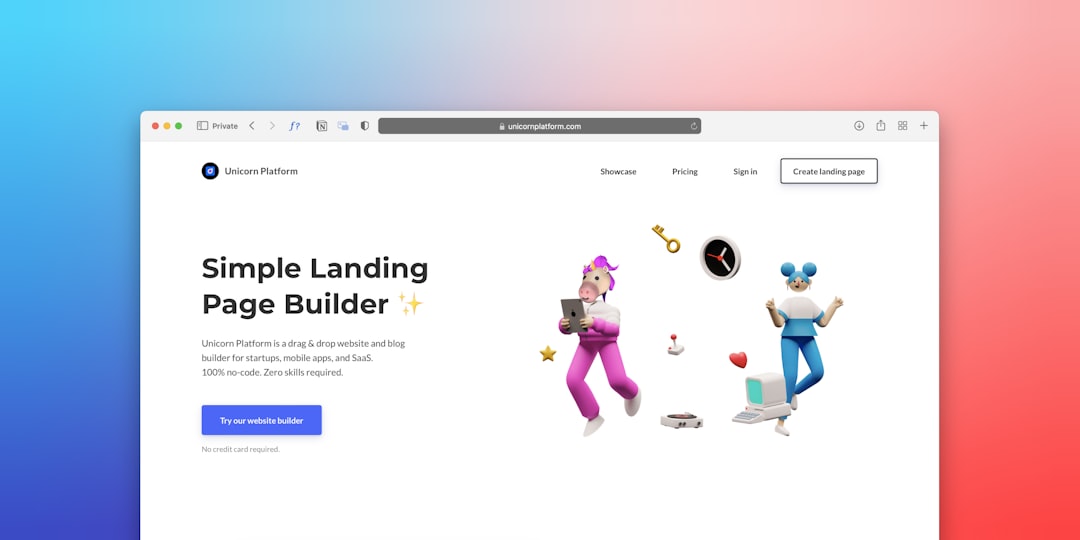
1. Wix
Wix is one of the most popular drag-and-drop website builders because it balances creative freedom with beginner-friendly controls. Users can start with a template, customize every section, add apps, and create anything from a personal blog to a booking site.
Its editor gives you a high level of visual control, which is great if you want to place elements exactly where you want them. Wix also includes SEO tools, ecommerce features, forms, galleries, and marketing integrations. For small businesses and creators who want flexibility without coding, it is a strong choice.
2. Squarespace
Squarespace is known for polished templates and elegant design. It is especially popular with photographers, designers, restaurants, consultants, and creative professionals who want a site that looks refined from the beginning.
The drag-and-drop experience is structured, which means you get less total freedom than some platforms but more consistency. That structure helps maintain beautiful spacing, responsive design, and professional layouts. Squarespace also offers blogging, ecommerce, scheduling, email campaigns, and portfolio features.
3. Weebly
Weebly is a simple, accessible builder that works well for users who want a no-fuss experience. Its editor is straightforward: choose a theme, drag content sections into place, and edit text, images, buttons, and forms directly.
It is particularly suitable for small businesses, personal websites, and basic online stores. While it may not feel as modern or advanced as some competitors, its simplicity is part of the appeal. If you want to publish quickly without a steep learning curve, Weebly is worth considering.
4. Webflow
Webflow is a powerful visual builder aimed at designers, agencies, and businesses that want deeper control over layout and interactions. It is technically a no-code platform, but it mirrors the logic of HTML, CSS, and responsive design more closely than many beginner tools.
That means Webflow has a learning curve, but the payoff is impressive. You can create custom animations, complex layouts, CMS-driven pages, and high-end marketing sites. For people who want design freedom without traditional coding, Webflow is one of the most capable platforms available.
5. Shopify
Shopify is the go-to website builder for ecommerce. While it is not only a drag-and-drop builder, its theme editor lets users customize storefronts visually, edit sections, manage product pages, and build a professional online shop.
Shopify shines when it comes to selling products. It includes payment processing, inventory management, shipping tools, discount codes, abandoned cart recovery, analytics, and a huge app marketplace. If your website’s main purpose is to sell, Shopify should be near the top of your list.
6. WordPress.com
WordPress.com brings the famous WordPress publishing system into a hosted, more beginner-friendly environment. With block-based editing, users can add images, columns, buttons, videos, forms, and layouts by arranging blocks visually.
It is especially strong for blogs, content-heavy websites, and businesses that expect to publish regularly. WordPress.com also offers themes, plugins on higher-tier plans, SEO controls, and scalability. It may require more setup than ultra-simple builders, but it offers excellent long-term flexibility.

7. GoDaddy Website Builder
GoDaddy Website Builder is built for speed and convenience. It is a good fit for small businesses that need a basic but professional website with contact information, services, appointment booking, social links, and simple marketing tools.
The platform uses guided setup and prebuilt sections, so you can assemble pages quickly. It may not offer the same depth of design customization as some competitors, but it is excellent for people who value simplicity, hosting, domain management, and business tools in one place.
8. Hostinger Website Builder
Hostinger Website Builder is a budget-friendly option that combines hosting with an easy visual editor. It includes modern templates, AI-assisted tools, ecommerce features, and simple customization controls.
This builder is useful for entrepreneurs, freelancers, and small businesses that want a polished website without high ongoing costs. Its interface is clean, and the editing process is approachable. If affordability and ease of use matter most, it deserves attention.
9. Duda
Duda is a professional website builder often used by agencies, freelancers, and teams that create sites for clients. Its drag-and-drop editor is smooth, and it includes responsive design controls, reusable sections, team collaboration, and client management tools.
One of Duda’s strengths is efficiency. Agencies can create polished sites quickly while maintaining design consistency. It also supports personalization features, allowing websites to display different content based on visitor behavior, location, or time.
10. Strikingly
Strikingly focuses on simple, stylish one-page websites. It is ideal for resumes, portfolios, event pages, startup announcements, and personal brands that do not need many pages.
The editor is easy to understand, and templates are designed to guide visitors through sections smoothly. While it can support basic ecommerce and blogging, its main advantage is speed. If you want a clean web presence in an afternoon, Strikingly can help you get there.
11. Jimdo
Jimdo is another beginner-friendly builder that emphasizes fast setup. It offers a guided website creation process, simple design options, and essential business features such as contact forms, online store tools, and SEO settings.
Jimdo is best for users who do not want to spend much time learning design software. Its templates and editing tools are intentionally simple. For local businesses, independent professionals, and hobby projects, it provides a practical path to publishing online.
12. Webnode
Webnode is a clean, multilingual-friendly website builder that works well for personal sites, small businesses, and international projects. Its editor is intuitive, and users can build pages by adding and rearranging content sections.
A major advantage is its support for multilingual websites, making it helpful for businesses serving customers in different regions. Webnode also includes forms, galleries, blogging, and ecommerce capabilities. It is not the most advanced builder, but it is reliable and easy to use.
13. Carrd
Carrd is a lightweight builder designed for one-page websites. It is simple, fast, and surprisingly flexible. People use it for landing pages, link-in-bio pages, personal profiles, waitlists, product previews, and small portfolios.
Carrd’s biggest appeal is its minimalism. You can create a sharp-looking page without dealing with complex menus or settings. It is also affordable, making it one of the best options for anyone who needs a focused, attractive page rather than a full website.
14. Dorik
Dorik is a modern no-code builder that offers clean templates, drag-and-drop editing, CMS features, and landing page tools. It is popular among startups, creators, and small businesses that want a sleek website without complicated setup.
Dorik includes reusable components, integrations, forms, and membership features on certain plans. Its interface feels modern and efficient, making it a good option for users who want a balance between simplicity and professional results.
15. Framer
Framer began as a design and prototyping tool, but it has evolved into a capable website builder. It is especially appealing to designers, startups, and product teams that want visually striking sites with smooth animations and modern interactions.
The editor feels design-first, with strong control over layout, typography, and effects. Framer also supports CMS collections, responsive design, and fast publishing. If you want a website that feels contemporary and dynamic, Framer is an exciting option.

How to Choose the Right Builder
With so many options, the best website builder depends on your goals. Before choosing, consider what kind of site you need, how much control you want, and whether you plan to sell products, publish articles, or collect leads.
- For maximum beginner friendliness: try Wix, Weebly, GoDaddy Website Builder, or Jimdo.
- For beautiful templates: Squarespace is one of the strongest choices.
- For ecommerce: Shopify is the most complete option.
- For advanced design control: Webflow and Framer stand out.
- For one-page websites: Carrd and Strikingly are fast and efficient.
- For agencies: Duda offers strong workflow and client tools.
Features Worth Comparing
Before committing to a platform, look beyond the template gallery. The right builder should support your site not just on launch day, but as it grows.
- Ease of editing: Can you update pages without frustration?
- Mobile responsiveness: Does the site look good on phones and tablets?
- SEO tools: Can you edit titles, descriptions, URLs, and image alt text?
- Ecommerce support: Are products, payments, shipping, and taxes easy to manage?
- Scalability: Will the platform still work as your business grows?
- Integrations: Does it connect with email, analytics, booking, or CRM tools?
Final Thoughts
Drag-and-drop website builders have made professional-looking websites far more accessible. You no longer need to start with a blank screen or learn programming before sharing your work, promoting your business, or selling online.
The best platform is the one that matches your purpose. Choose Wix or Squarespace for versatile business sites, Shopify for serious ecommerce, Webflow or Framer for high-control design, and Carrd for simple one-page projects. With the right builder, creating a website becomes less about technical barriers and more about telling your story clearly, beautifully, and effectively.