
Choose Outlook encryption if your organization already runs Microsoft 365 and needs admin control; choose Proton Mail if private, end-to-end encrypted email is the main goal. Outlook is built for business policy, compliance, and access management. Proton Mail is built for privacy first, with encryption that is easier for individuals and small teams to use without a security department.
TLDR: Outlook encryption is best when a company needs to protect internal files, revoke access, and meet compliance rules through Microsoft 365. Proton Mail is stronger for simple private communication, especially between Proton users, where end-to-end encryption is automatic. For example, a 25-person legal firm using Microsoft 365 may save hours each month with Outlook sensitivity labels, while a journalist emailing three sources may get safer day-to-day privacy from Proton Mail. If 80% of your email stays inside one Microsoft tenant, Outlook makes sense; if most sensitive email is personal or external, Proton Mail is often cleaner.
What Outlook Encryption Actually Means
Outlook encryption is not one single feature. That causes confusion, and honestly, it feels like Microsoft could explain this better inside the app. In practice, Outlook users may deal with two main methods: Microsoft Purview Message Encryption and S/MIME.
- Microsoft Purview Message Encryption: Often shown as “Encrypt” or “Do Not Forward” in Outlook. It protects emails through Microsoft 365 policies and identity controls.
- S/MIME: A certificate-based method that can provide true end-to-end encryption, but everyone involved needs certificates set up correctly.
Purview Message Encryption is common in companies. It lets an admin apply rules, such as encrypting any email that contains a passport number, health record, or financial data. Recipients may open protected messages through Outlook, Outlook on the web, or a secure web portal.
The strength here is control. A company can block forwarding, apply sensitivity labels, audit usage, and revoke access. That is useful for finance, healthcare, law, education, and government contractors.
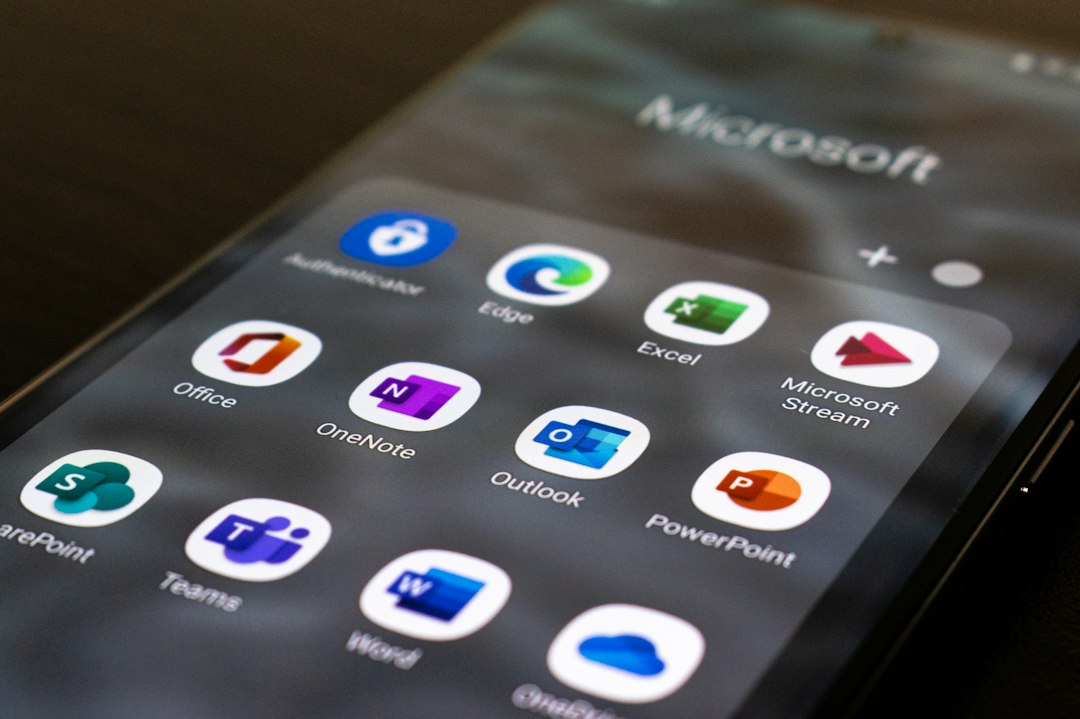
Where Outlook Encryption Works Well
Outlook encryption shines in managed workplaces. If employees already use Microsoft 365, Outlook, Teams, OneDrive, and SharePoint, encrypted email becomes part of a larger security system.
Best use cases include:
- Sending contracts, tax files, HR records, or legal documents.
- Restricting forwarding or copying of sensitive messages.
- Applying company-wide data loss prevention rules.
- Keeping audit logs for compliance reviews.
- Protecting email without asking every employee to learn PGP.
That last point matters. Security fails when users hate the tool. Outlook’s encryption button is simple enough for office use. Admins can also automate encryption, which reduces human error.
The downside is licensing and setup. Some encryption and compliance features require Microsoft 365 Business Premium, E3, E5, or specific add-ons. The exact button may also appear differently depending on Outlook version, admin settings, and account type. Expect to waste time on permission screens if your tenant is not configured well.
Where Outlook Encryption Falls Short
Outlook encryption is strong, but it is not always the privacy model people expect. With standard Microsoft Purview Message Encryption, Microsoft’s cloud services play a central role in protecting and delivering the message. That is fine for many businesses, but it is not the same as having only sender and recipient hold the decryption keys.
S/MIME can solve part of that issue. It supports end-to-end encryption when certificates are installed and trusted. The problem is usability. Certificates expire. Recipients need their own certificates. Devices must be configured. One broken certificate chain can stop the whole exchange.
For a corporate IT team, S/MIME may be acceptable. For a freelancer, family office, or small nonprofit, it can be a headache.
What Proton Mail Does Differently
Proton Mail is designed around private email from the start. Messages between Proton Mail users are end-to-end encrypted automatically. That means the message content is encrypted before it leaves the sender and can be decrypted only by the recipient.
Proton also uses zero-access encryption for stored mailbox content. In plain English, Proton cannot read the body of encrypted emails stored on its servers. This is a major privacy advantage over many traditional email providers.
For people outside Proton Mail, users can send password-protected encrypted messages. Proton also supports PGP, which helps users communicate securely with people who use compatible email tools.
Image not found in postmetaWhere Proton Mail Works Well
Proton Mail is a strong fit when privacy is the main concern and central company control is less critical.
Good use cases include:
- Journalists speaking with sources.
- Lawyers or advisers communicating with private clients.
- Activists, researchers, and whistleblower support teams.
- Small businesses that do not want complex Microsoft administration.
- Individuals who want a more private inbox for personal records.
Proton Mail is also easier to understand. If both people use Proton, encryption just happens. No certificate purchase. No sensitivity label. No admin console. That simplicity matters in real life.
Still, Proton is not magic. Email subject lines may not receive the same protection as message body content. Metadata, such as sender, recipient, and time, can still exist because email needs routing information to work. Attachments are protected when sent within Proton’s encrypted system, but external workflows can change the risk.
Outlook vs Proton Mail: Security Comparison
| Feature | Outlook Encryption | Proton Mail |
|---|---|---|
| Best for | Organizations using Microsoft 365 | Privacy-focused users and small teams |
| Default privacy | Depends on setup and license | High, especially between Proton users |
| End-to-end encryption | Available with S/MIME, harder to manage | Automatic between Proton users |
| Admin controls | Very strong | More limited for enterprise policy |
| External recipients | Secure portal or protected message access | Password-protected email or PGP |
| Compliance tools | Strong with Microsoft Purview | More privacy-focused than compliance-focused |
Which One Should You Use?
Use Outlook encryption if you work inside a company that needs policy enforcement, legal hold, audit trails, retention rules, and user management. It is also the better choice when sensitive documents live in Microsoft 365 and must stay under company control.
Use Proton Mail if you want private email with fewer moving parts. It is often better for individuals who do not want Microsoft managing the security layer. It is also useful for small teams that need confidential communication but lack a full IT department.
A practical rule is this: if compliance is the main issue, pick Outlook; if content privacy is the main issue, pick Proton Mail.
For strict situations, the answer may be both. A company might keep Outlook for staff accounts and use Proton Mail for special external communication. That setup is not perfect, but it can reduce risk when handled with clear rules.
Final Verdict
Outlook encryption and Proton Mail solve different problems. Outlook protects business communication through policy, control, and Microsoft 365 integration. Proton Mail protects private communication through simpler end-to-end encryption and zero-access storage.
If you already pay for Microsoft 365 and have compliance duties, Outlook encryption is the more practical choice. If you want a private inbox that is easier to trust without extra configuration, Proton Mail is the stronger option. The safest choice is the one your team will use correctly every time.