
Even the most careful newsletter teams make mistakes. A broken link slips through, a discount code expires early, a date is wrong, or a name is misspelled. What separates a small error from a serious trust problem is not perfection; it is how quickly, clearly, and professionally you respond.
TLDR: Newsletter corrections should be fast, transparent, and proportionate to the error. If a sale email sends 20,000 subscribers to the wrong landing page and click data shows 18% already clicked, a short correction email with the right link is justified. For minor typos, an update in the next newsletter or a quiet website fix may be enough. The best approach is to acknowledge the issue, give the corrected information, and avoid overexplaining.
Why newsletter corrections matter
A newsletter is more than a message; it is a relationship channel. Subscribers allow you into their inbox because they expect useful, reliable communication. When an error appears, readers may not mind the mistake itself, but they will notice whether you handle it with care.
Professional corrections help protect credibility, reduce confusion, and prevent customer support from being flooded with repeat questions. They also show respect for your audience’s time. A plain, timely correction often performs better than a defensive or overly polished response because it feels honest.
First, decide whether the mistake needs a correction
Not every newsletter error deserves a dedicated correction email. Sending too many follow-up messages can annoy subscribers and make your brand look careless. Before reacting, classify the error by impact.
- Low impact: Small typos, minor formatting issues, or an image that displays slightly differently than expected.
- Medium impact: Incorrect product details, unclear instructions, wrong event times, or missing context.
- High impact: Broken purchase links, wrong prices, legal or compliance issues, privacy concerns, or inaccurate health, finance, or safety information.
For low-impact issues, you may simply fix the web version or note the correction in the next scheduled email. For medium-impact issues, consider a brief clarification, especially if the newsletter is time-sensitive. For high-impact problems, send a correction promptly and make the subject line clear.
Act quickly, but do not panic
Speed matters, but accuracy matters more. When you discover an error, pause long enough to confirm what went wrong, who is affected, and what the correct information should be. A rushed correction that contains a second mistake can damage confidence more than the original issue.
A simple review process can help:
- Verify the error: Check the sent email, web version, links, analytics, and source material.
- Assess scope: Determine whether all subscribers received it or only a segment.
- Decide the response: Choose between a correction email, website update, social post, or support note.
- Write the fix: Keep it short, specific, and useful.
- Review before sending: Have at least one other person check all corrected details.
Write a subject line that is clear, not dramatic
The subject line should tell readers why they are receiving another email. Avoid vague phrases like “Oops!” unless they match your brand voice and the issue is minor. For professional communication, clarity is safer.
Good correction subject lines include:
- Correction: Updated link for today’s webinar
- Updated: Correct event date inside
- We sent the wrong discount code
- Clarification: Shipping deadline for holiday orders
These subject lines set expectations and help subscribers quickly understand whether the update matters to them.
Use a simple correction structure
A professional correction email does not need to be long. In fact, shorter is usually better. Readers want to know what changed and what action, if any, they need to take.
Use this structure:
- Acknowledge the mistake: “In our earlier email, we shared the wrong registration link.”
- Provide the correct information: “The correct link is below.”
- Explain the impact: “If you already registered successfully, no further action is needed.”
- Apologize briefly: “Sorry for the confusion, and thank you for your understanding.”
Here is a concise example:
Correction: In this morning’s newsletter, we included an outdated link to our product guide. The correct guide is available here: [link]. If you clicked the earlier link, please use this version instead. We apologize for the confusion and appreciate your patience.

Match the tone to the seriousness of the error
Tone is important. A lighthearted “Well, that was embarrassing” may work for a harmless typo, but it can seem dismissive if customers lost access to a promotion or received misinformation. The bigger the impact, the more direct and formal your correction should be.
For example, if you misspelled a guest speaker’s name, a brief correction with a polite apology works. If you published the wrong price for a product, you need to explain whether the price will be honored, how long the offer applies, and whom customers should contact. If the mistake involves sensitive personal information, follow legal and compliance procedures immediately.
Be transparent, but do not overexplain
Transparency builds trust, but long explanations can distract from the solution. Subscribers usually do not need to know every internal detail, such as who approved the email or which software caused the problem. They need the corrected information and confidence that you are handling it.
Instead of writing, “Due to a miscommunication between our content and operations teams during a late-stage editing process…”, write, “We shared an incorrect deadline in our previous email.” This is cleaner, more accountable, and easier to understand.
Update all related channels
If the newsletter links to a landing page, blog post, registration form, product page, or downloadable file, correct those assets too. A correction email will not help if the destination still contains the old information. Check every touchpoint a reader might visit after receiving the message.
Create a quick correction checklist:
- Newsletter web version
- Landing pages and forms
- Automated follow-up emails
- Social media posts
- Customer support scripts
- Sales team talking points
- Paid ads connected to the campaign
This matters because subscribers often move across channels. One person may read the email, click to your website, then contact support. Consistency prevents confusion and makes the correction feel organized.
Use analytics to guide your response
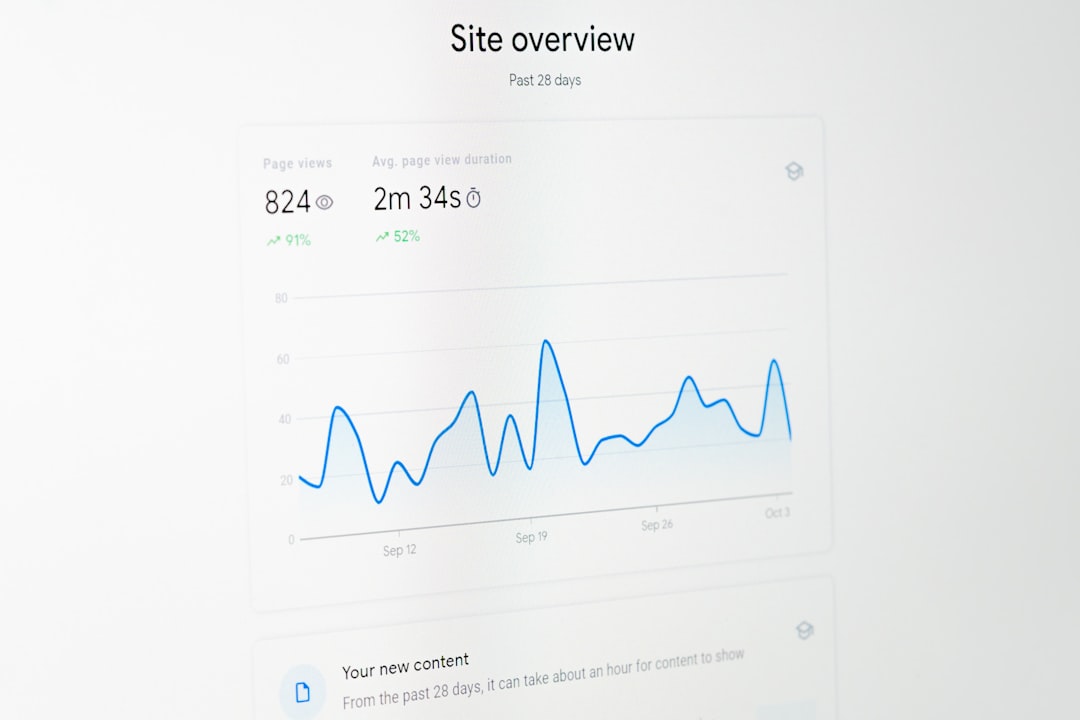
Email analytics can tell you how urgent a correction is. If only 2% of recipients opened the email and the error is minor, you might wait and include a note later. If 45% opened it and 30% clicked a broken link, a fast correction is necessary.
Look at open rate, click rate, conversion rate, unsubscribe activity, and replies. Also check whether the affected segment includes customers, leads, event attendees, or paid members. The more direct the consequence for the subscriber, the stronger your correction should be.
Prevent repeat mistakes with a correction policy
The best correction strategy is supported by a prevention system. Build a repeatable pre-send checklist that includes link testing, proofreading, offer validation, segmentation review, and legal approval when needed. Assign ownership so everyone knows who has the final say before sending.
After a significant mistake, hold a short review. Ask what happened, how it was caught, how subscribers responded, and what process should change. Keep the conversation constructive. The point is not to blame someone; it is to make the next newsletter stronger.
Final thoughts
Newsletter corrections are an opportunity to show professionalism under pressure. A well-handled update can actually strengthen reader trust because it proves your team is attentive and accountable. The formula is simple: respond quickly, correct clearly, apologize appropriately, and make sure every related channel reflects the update.
Mistakes may be unavoidable, but confusion is not. When your correction is honest, concise, and useful, subscribers are far more likely to move on—and continue opening your emails.