
Booking a meeting, reserving a service, or scheduling a consultation should feel effortless for customers and manageable for teams. For modern businesses using WordPress, a high-performance appointment solution is no longer just a convenience; it is part of the customer experience, sales funnel, and operational workflow.
TLDR: A strong WordPress appointment solution should be fast, mobile-friendly, secure, and easy to manage. The best systems automate scheduling, payments, reminders, staff calendars, and customer communication without slowing down your website. Businesses should choose tools that scale with demand, integrate with existing platforms, and deliver a smooth booking experience from the first click to the final confirmation.
Why Appointment Booking Performance Matters
In a digital-first market, customers expect instant availability, clear service options, and simple booking steps. If your scheduling page loads slowly or requires too many actions, users may abandon it and choose a competitor. Performance directly affects conversions, especially for service-based businesses where every appointment can represent revenue.
High-performance appointment systems do more than display a calendar. They handle real-time availability, prevent double bookings, send confirmations, accept payments, manage staff schedules, and sync with external calendars. When these features run smoothly, businesses save time while customers enjoy a professional and reliable experience.

Core Features of a Modern WordPress Appointment Solution
A reliable booking system should combine usability with powerful administration tools. While every business has different needs, the most valuable appointment solutions usually include the following features:
- Real-time calendar availability: Customers should only see bookable time slots based on current schedules.
- Automated confirmations and reminders: Email or SMS notifications reduce no-shows and improve communication.
- Mobile-friendly booking forms: Many users schedule appointments from smartphones, so responsive design is essential.
- Payment integration: Deposits, full payments, or service fees can be collected during booking.
- Staff and resource management: Businesses can assign employees, rooms, equipment, or locations to specific appointments.
- Calendar synchronization: Integration with Google Calendar, Outlook, or Apple Calendar helps teams stay organized.
- Custom booking rules: Buffer times, cancellation windows, capacity limits, and working hours should be easy to configure.
The right combination of these features turns a WordPress website into a centralized scheduling hub. Instead of juggling phone calls, spreadsheets, and manual reminders, teams can focus on delivering better service.
Speed and User Experience Come First
Not all appointment plugins or systems are built with performance in mind. Some add heavy scripts, excessive database queries, or poorly optimized assets that slow down pages. For businesses that depend on search visibility and paid traffic, this can be costly.
A high-performance solution should load quickly and work smoothly even during peak traffic. Look for systems that use streamlined code, efficient database handling, caching compatibility, and minimal front-end bloat. It is also important that booking forms are intuitive. Customers should be able to choose a service, select a time, enter details, and confirm the appointment without confusion.
A fast booking process feels invisible: the customer focuses on the service, not the software.
Security, Privacy, and Trust
Appointment systems often collect sensitive information, including names, phone numbers, email addresses, health preferences, payment details, or business requirements. That makes security a major priority. A modern WordPress appointment solution should support secure payment gateways, encrypted connections, role-based access, and privacy-conscious data handling.
Businesses should also evaluate how customer data is stored and whether the system supports compliance needs such as consent checkboxes, data export, and deletion requests. Trust is especially important for medical practices, financial consultants, legal firms, wellness providers, and education services.

Choosing the Right Solution for Your Business Type
Different businesses need different scheduling workflows. A hair salon may need staff-specific calendars and recurring services. A medical clinic may require intake forms and strict time management. A fitness studio may need group bookings and class capacity limits. A consulting firm may prioritize video meeting links and advance payment collection.
Before choosing a WordPress appointment system, map out your actual booking process. Ask practical questions:
- Do customers book individual appointments, group sessions, or both?
- Do different staff members offer different services?
- Are deposits, cancellation fees, or prepaid packages required?
- Should customers be able to reschedule on their own?
- Do you need multiple locations or time zone support?
- Will the system connect to email marketing, CRM, accounting, or video conferencing tools?
Answering these questions early helps avoid choosing a tool that looks polished but cannot support real operational needs.
Integrations That Increase Efficiency
The best appointment solutions fit naturally into a business’s existing technology stack. Payment gateways make transactions easier. CRM integrations help track leads and customer history. Email marketing tools allow businesses to follow up with clients after bookings. Video conferencing integrations automatically create links for virtual consultations, lessons, or meetings.
Calendar integrations are especially valuable. When staff calendars sync automatically, teams reduce scheduling conflicts and administrative errors. For businesses with multiple employees, this can be the difference between a smooth day and a chaotic one.
Automation is the real power behind modern scheduling. Every confirmation email, reminder, invoice, calendar update, and cancellation notice that happens automatically frees people from repetitive tasks.
Designing a Booking Flow That Converts
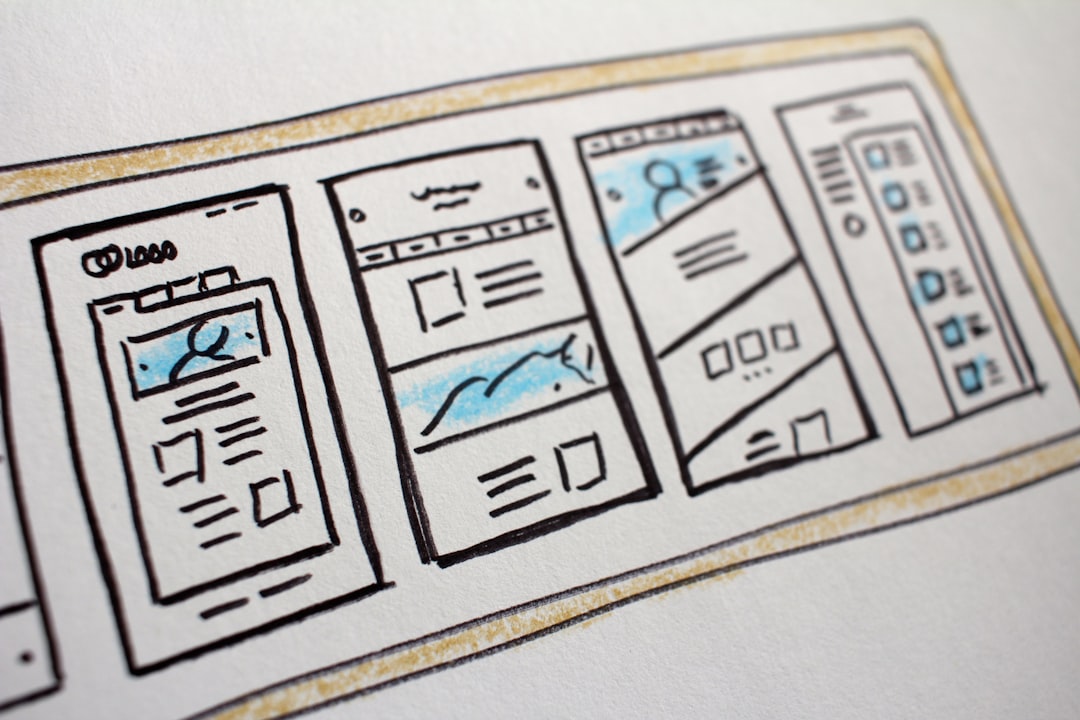
Even the most advanced appointment system can underperform if the booking flow is poorly designed. The scheduling page should be easy to find from the main navigation, service pages, and calls to action. Clear labels, concise descriptions, visible prices, and trust signals all help customers feel confident.
For stronger conversion rates, consider these design principles:
- Keep steps minimal: Avoid asking for unnecessary information before confirmation.
- Show availability clearly: Use simple calendars and time slots that do not overwhelm users.
- Use strong calls to action: Buttons such as “Book Your Consultation” or “Reserve a Time” are direct and effective.
- Provide reassurance: Mention cancellation policies, secure payments, and confirmation details.
- Optimize for mobile: Forms, buttons, and calendars should be easy to use with one thumb.
Scalability for Growing Businesses
A small business may begin with one calendar and a few services, but growth brings complexity. More staff, more locations, seasonal demand, promotional campaigns, and expanded service menus can place pressure on a basic booking tool. Choosing a scalable solution from the beginning prevents disruptive migrations later.
Scalability also depends on hosting quality. WordPress appointment systems perform best on reliable hosting with optimized caching, updated PHP, strong database performance, and regular backups. If your booking system is mission-critical, investing in better infrastructure is just as important as choosing the right plugin or platform.
Analytics and Continuous Improvement
Modern appointment solutions should provide useful data. Businesses can track booking volume, popular services, peak times, cancellation rates, revenue, and staff utilization. These insights support smarter decisions, from adjusting working hours to promoting underbooked services.
Analytics can also reveal friction in the booking journey. If many users visit the scheduling page but few complete the process, the issue may be form complexity, unclear pricing, limited availability, or slow loading speed. Continuous testing and improvement can turn a basic booking page into a reliable revenue engine.
Final Thoughts
High-performance WordPress appointment solutions help modern businesses operate with greater speed, accuracy, and professionalism. They simplify scheduling for customers, reduce administrative workload, and create a more organized internal workflow. The best choice is not necessarily the tool with the longest feature list, but the one that matches your business model, performs reliably, and offers a polished customer experience.
For any service-based organization, appointment booking is often the first real interaction a customer has with the business. Make that moment fast, clear, and trustworthy, and the entire relationship starts on stronger ground.