
In the vast digital landscape, owning a WordPress website is only the first step toward maximizing your online impact. But if your target audience can’t find your site, all that potential goes to waste. That’s where Search Engine Optimization (SEO) shines. Optimizing your WordPress site for SEO is not just a technical task—it’s a strategic endeavor critical for increasing visibility, driving organic traffic, and enhancing engagement.
TLDR:
Optimizing your WordPress site for SEO involves smart on-page tactics, high-quality content creation, performance enhancements, and using the right plugins. Leverage SEO-friendly themes, structure your content properly, and don’t forget mobile responsiveness. Regular audits and updates are key to staying competitive on search engine results pages (SERPs). With a blend of technical tools and creative strategy, you can transform your WordPress site into a traffic magnet.
Why WordPress is a Great Platform for SEO
WordPress is celebrated not only for its user-friendliness but also for its SEO capabilities. Right out of the box, it provides a solid foundation, but with a bit of customization, it can evolve into an SEO powerhouse. Features like customizable permalinks, responsive themes, and an array of plugins make it a favorite among SEO professionals.
The Foundations of Effective WordPress SEO
Before diving into advanced techniques, let’s cover the basics. Every highly ranked WordPress site rests on a few key SEO pillars:
- Speed and performance: Fast-loading pages reduce bounce rates and improve rankings.
- Mobile optimization: The majority of users browse on mobile devices. A responsive design is no longer optional.
- Clean, structured URLs: Use URLs that include relevant keywords and are easy for users and search engines to understand.
1. Choose an SEO-Optimized Theme
Not all WordPress themes are built with SEO in mind. A poorly coded theme can slow down performance and hinder search engine indexing. Choose a theme that is:
- Lightweight and fast-loading
- Compatible with major SEO plugins
- Responsive across different screen sizes
- Built with clean code and schema markup
The right theme acts as the groundwork for building a well-optimized site, both technically and visually.
2. Install and Configure Powerful SEO Plugins
One of the biggest advantages of WordPress is its extensibility via plugins. For SEO, a few plugins stand out:
- Yoast SEO: Offers complete control over metadata, XML sitemaps, and readability analysis.
- Rank Math: A feature-rich competitor to Yoast with built-in schema support.
- All in One SEO Pack: A comprehensive toolset for novices and pros alike.
Install one of these plugins, configure your titles and metas, and ensure the plugin auto-generates your sitemap and robots.txt file.
3. Create High-Quality Content (and Structure It Well)
Content remains king in SEO, but it’s not just what you say—it’s how you present it. Your WordPress blog or site pages should adhere to the following:
- Use header tags (H1, H2, H3) properly: They help organize content and signal topic relevance to search engines.
- Write engaging and well-researched content: Google favors value-rich pages over keyword-stuffed ones.
- Include internal and external links: Linking to other pages enhances navigation and SEO authority.
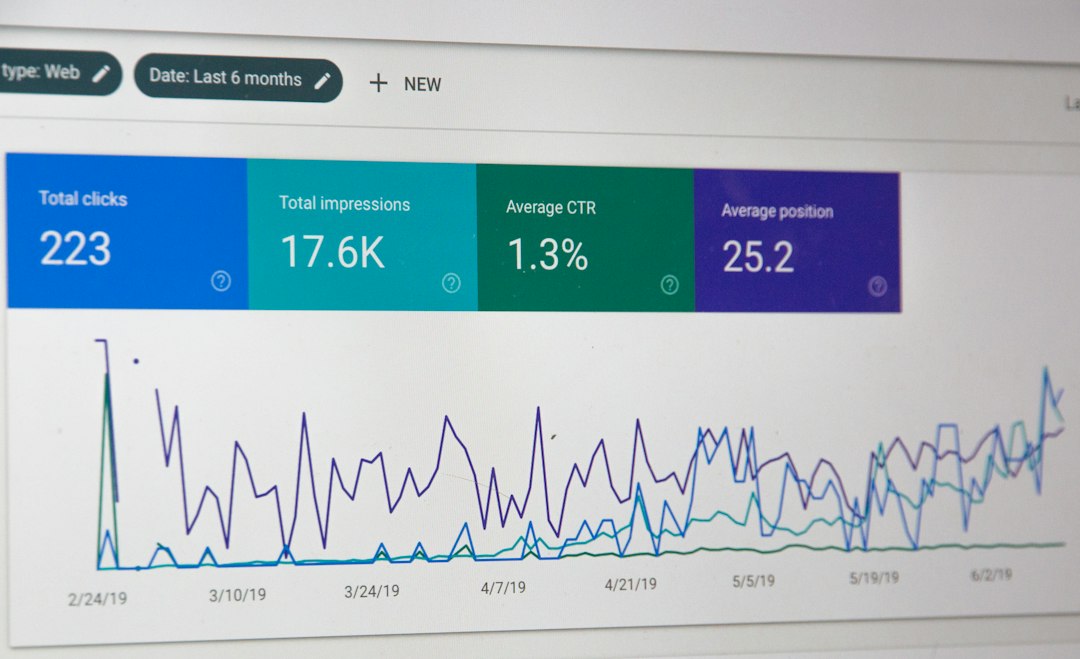
Also, use keyword research tools—such as SEMrush, Ahrefs, or Google Keyword Planner—to find the terms your audience is actually searching for, and naturally incorporate those into your content.
4. Optimize Images and Media
Images increase engagement but can slow down your site if not handled properly. Here’s how to get it right:
- Compress images: Use tools like TinyPNG or plugins like Smush to reduce file size.
- Use descriptive filenames and alt text: This makes them more discoverable by search engines.
- Utilize lazy loading: This delays loading of images off-screen, improving page speed.
Don’t use overly large, unoptimized media files. Every kilobyte counts when it comes to maintaining a speedy website.
5. Improve Site Speed and Performance
Google has explicitly confirmed that site speed is a ranking factor. To optimize your WordPress performance, consider the following tips:
- Choose a reliable hosting provider
- Use caching plugins like W3 Total Cache or WP Rocket
- Minify CSS, JavaScript, and HTML files
- Implement a Content Delivery Network (CDN) like Cloudflare

Use tools such as Google PageSpeed Insights or GTmetrix to evaluate and iterate on performance issues.
6. Secure Your Website (HTTPS)
Security is both an SEO signal and a trust factor. Google prefers secure websites, and so do users. Make sure your WordPress site has an SSL certificate, which turns your web address from HTTP to HTTPS.
Most hosting providers offer free SSL today through Let’s Encrypt. Once installed, ensure all URLs on your site are using the secure protocol and set redirects as necessary.
7. Implement Schema Markup for Rich Snippets
Structured data, or schema markup, helps search engines better understand the content on your pages. This can enhance your listings with:
- Star ratings for reviews
- Product pricing and availability
- Event dates and locations
Plugins like Schema Pro or built-in settings in Rank Math allow easy implementation without any coding knowledge.
8. Audit Your Site Regularly
SEO isn’t a one-and-done action—it’s an ongoing process. Conduct regular audits to find and fix issues before they damage your rankings. Look for:
- Broken links and 404 errors
- Outdated content
- Duplicate metadata
- Slow loading pages
Tools like Screaming Frog, Ahrefs, or Google Search Console provide the insights needed to keep your site in top shape.
9. Engage with Structured Internal Linking
Internal links are an underrated SEO tactic. They help spread link equity, guide users to related content, and reduce bounce rates. Adopt a structured linking strategy by:
- Linking top-performing posts to newer or underperforming ones
- Using descriptive anchor text
- Building content clusters or topic silos around specific themes
This also makes your site easier to crawl for search engines, improving indexing depth and clarity.
10. Monitor and Analyze Your KPIs
Set up Google Analytics and Google Search Console to track performance metrics such as bounce rate, session length, and traffic sources. Key performance indicators (KPIs) to watch include:
- Organic search traffic
- Conversion rate
- Click-through rate (CTR)
- Keyword rankings
Using this data to guide your SEO decisions ensures you’re moving in the right direction and staying competitive.
Final Thoughts
Mastering WordPress SEO takes time, persistence, and a blend of technical precision and creative thinking. By optimizing everything from site speed to content strategy and using the right tools, you can position your website to attract more visitors, generate more leads, and drive long-term success. It’s a continual process that evolves with each algorithm update and content trend—but one that pays off in enormous dividends when done right.
Stay vigilant, experiment often, and never stop learning. The search engines—and your visitors—will thank you.